Quick Summary: Music app development in 2026-27 can range from $25,000 for an MVP with targeted functions to over $300,000 for an enterprise-level platform. In this blog, we will go through different types of apps, how to develop your own music streaming application in eight steps, features, different levels of cost, technology stack, and more. It also answers the questions founders ask most, from offline listening to music API integration.
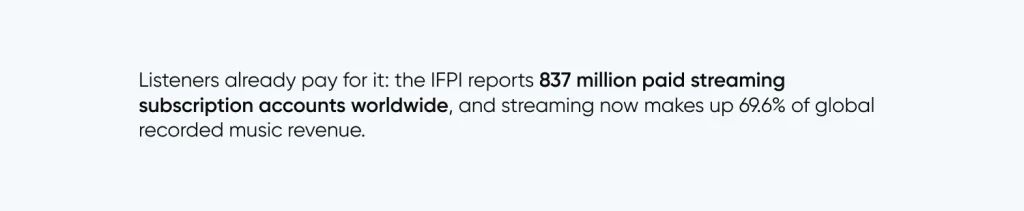
Music is one of the easiest habits to sell and the hardest to differentiate. Listeners already pay for it: IFPI reports 837 million paid streaming subscription accounts worldwide, and streaming now makes up 69.6% of global recorded music revenue.
Development of music apps is not just about building interfaces and adding features. First, you need access to the song library. Second, the audio pipeline should hold up even when users have a weak or unstable internet connection. Finally, your discovery experience has to be compelling enough to beat the apps already on people’s home screens. This is how everything works together from start to finish.
What Is Music App Development?
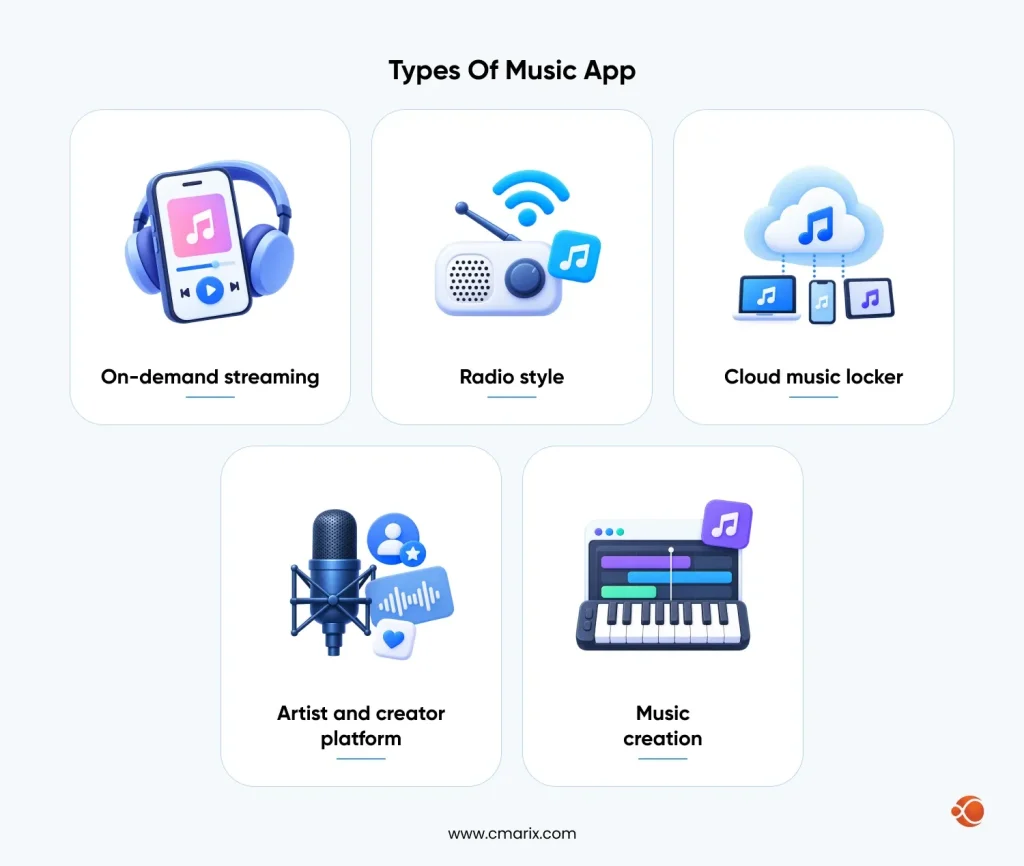
Music app development is the process of planning, designing, developing, and launching a mobile or web application that plays, organizes, or creates audio. This includes a wide range of products, and the type you choose determines the licensing path, architecture, and budget.
| App Type | What It Does | Rights Complexity |
| On-demand streaming | Users pick and stream any track at any time | High |
| Radio-style | Stations are built from a seed artist or song, with limited user control | Medium |
| Cloud music locker | Users upload and stream their own music files | Low to Medium |
| Artist and creator platform | Artists upload music, while fans can stream, support, or buy | Medium |
| Music creation | Provides tools for recording, mixing, and beat-making | Low |
Radio-style products lean on recommendation engines more than search, which changes the build priorities. If that model appeals to you, our walkthrough of how to build an app like Pandora shows how station logic and listener feedback loops are structured.
Audio streaming app development also goes beyond music. The apps for audiobooks, podcasts, meditation, and live audio rooms follow much the same process, and therefore a well-designed application can expand its range of content without any major redevelopment. This is something to consider when developing a roadmap for your music app platform.
How to Build a Music Streaming App: 8-Step Development Lifecycle
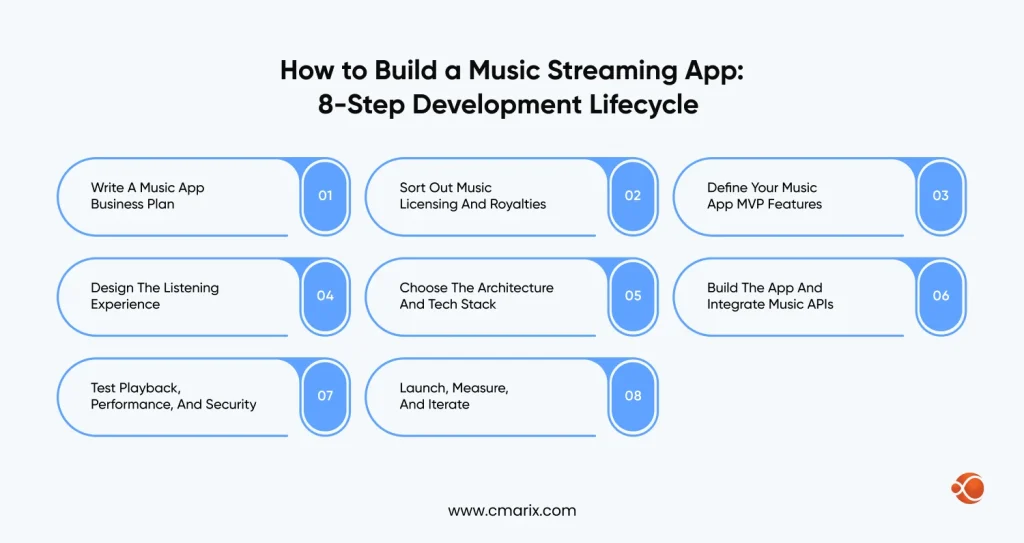
Step 1: Write a Music App Business Plan
Start with the listener, not the feature list. For example, Spotify already owns the general-purpose shelf, so a new app needs a reason to exist: a genre, a language, a region , a fitness use case, an artist community, or a listening mood that big platforms handle badly.
A useful music app business plan answers four things:
- Target audience – Who uses the application, and what do they use it for while listening to music?
- Source of catalog – Where is the music coming from, and who will be compensated for it?
- Business model – Subscription, ads, artist tiers, or business-to-business?
- Retention hook – What brings people back on day seven, not just day one?
Step 2: Sort Out Music Licensing and Royalties
This is the step that surprises first-time founders, so do it early. Every streamed track involves two layers of rights. The sound recording belongs to a label or distributor. The underlying composition belongs to songwriters and publishers. Interactive streaming services in the US usually employ mechanical licenses to license the compositions via the MLC (Mechanical Licensing Collective), as well as performance royalties via performing rights societies like ASCAP and BMI (Broadcast Music, Inc.).
The radio-like services classified as non-interactive can make use of statutory licensing via SoundExchange for the recordings. And other countries will have their own collecting societies, and therefore your launch locations will determine your paperwork needs.
Founders without label agreements actually have other choices. They can create around royalty-free libraries, sign up independent artists on their own, and team up with distributors that offer full rights packages. However, founders must hire a music licensing attorney right from the beginning. Discovering a missing licensing agreement becomes much costlier at a later stage.
Step 3: Define Your Music App MVP Features
Music app MVP features should prove one thing: that people will come back to listen. Search, registration, a reliable player, playlists, and a payment flow are usually enough. Everything else waits for real usage data.
It’s tempting to include an equalizer, social streams, and lyrics right at the start. Don’t do it. It takes additional development time for each new feature, but does not solve any problem with the catalog or player.
Step 4: Design the Listening Experience
Music apps are used everywhere: cars, gym, pockets, and dark rooms. That makes design a safety and comfort question as much as a visual one.
- One-handed control – Play, pause, skip, and like should sit within thumb reach.
- Lock screen and notification controls – The majority of listening is done with the phone screen turned off.
- Gapless playback and crossfade – Albums and live sets break when tracks stutter between songs.
- Dark mode and low-light comfort – Late-night listening is a big share of usage.
- Clear offline states – Users should always see what is downloaded and what needs a connection.
Step 5: Choose the Architecture and Tech Stack
Decide whether to go with cross-platform or native applications and managed streaming services or your own pipeline. This choice affects both cost and flexibility down the road. The bottom line is, choose what you can sustain rather than something that looks pretty in a presentation.
Step 6: Develop the App and Integrate Music APIs
Begin with backend development – audio transcoding, catalog management, and the content delivery pipeline, which will be more time-consuming, and all screens will depend on them. After that, introduce client applications gradually with small increments, with playable builds every two weeks.
The integration of music APIs should be planned separately. The metadata services like MusicBrainz and Last.fm could give additional information to enrich your catalog with artist information, tags, and similarities. The playback services like Apple MusicKit or Spotify SDK will always depend on the subscriber’s own service and have specific terms, which you should study before creating any product based on them. For example, royalty-free catalogs could use Jamendo.
Step 7: Test Playback, Performance, and Security
Music apps go wrong in ways normal apps never will. You get a phone call in the middle of listening to music. The person moves from Wi-Fi to 4G. Your Bluetooth connection is disrupted. Testing must account for these kinds of situations in actual devices and not simulators.
QA should include background audio functionality, playing under various network conditions, and DRM and payment security tests. Teams that need an objective point of view can use specialized software testing services prior to launch, which is much more affordable than having to deal with a heap of one-star reviews later on.
Step 8: Launch, Measure, and Iterate
Initially test the service among a smaller beta user group. Pay attention to the session length, skipping ratio, playlist creation, and day-seven retention metrics. These metrics will let you know how successful your content catalog and recommendation engine are before any revenue metrics do. Ship your improvements often but in small increments.
Music App MVP Features vs Advanced Features
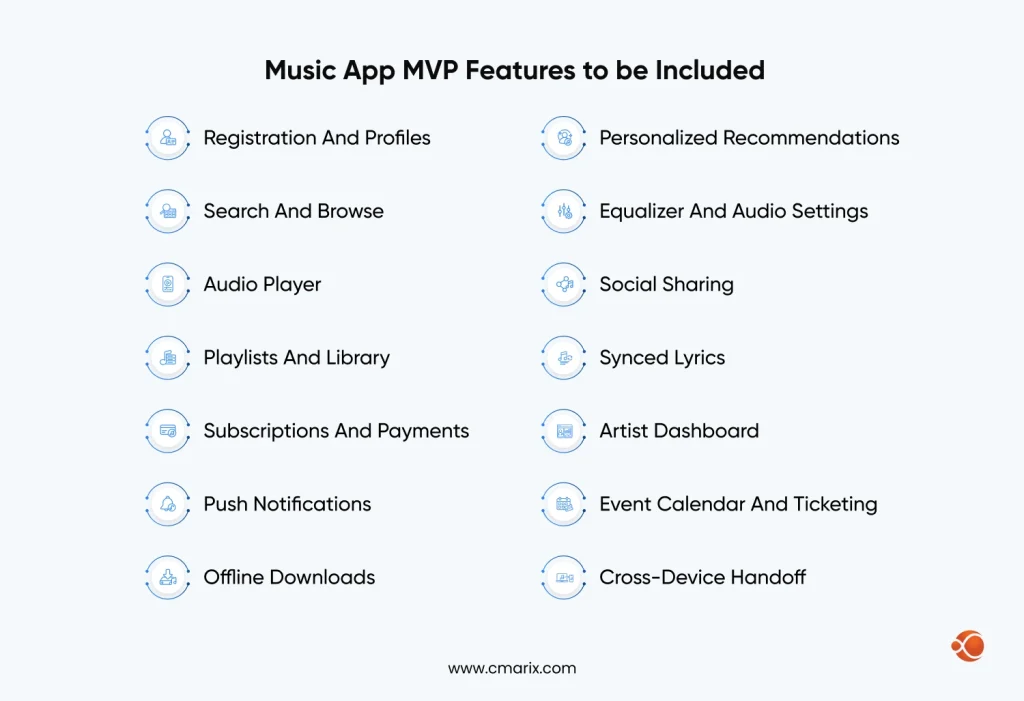
The right feature set depends on your app type, but a few patterns hold across most successful products. The table below separates what to launch with from what to grow into.
| Feature | What It Does | Stage |
| Registration and profiles | Email, phone, or social sign-in with saved preferences | MVP |
| Search and browse | Find tracks, artists, albums, and genres quickly | MVP |
| Audio player | Background play, lock screen controls, and queue management | MVP |
| Playlists and library | Save, organize, and share collections | MVP |
| Subscriptions and payments | Plans, trials, and in-app billing | MVP |
| Push notifications | New releases, playlist updates, and re-engagement | MVP or Growth |
| Offline downloads | Encrypted local storage for listening without a signal | Growth |
| Personalized recommendations | Daily mixes and radio based on listening behavior | Growth |
| Equalizer and audio settings | Presets and manual sound controls | Growth |
| Social sharing | Share tracks and see what friends play | Growth |
| Synced lyrics | Time-coded lyrics that follow the song | Advanced |
| Artist dashboard | Streams, listeners, and earnings for creators | Advanced |
| Event calendar and ticketing | Concert dates, reminders, and ticket links | Advanced |
| Cross-device handoff | Continue playback from phone to speaker or car | Ad |
Teams building this kind of product often work with a specialist mobile app development company that has shipped audio and media apps before, because the hard parts here are invisible: buffering logic, audio focus, and background execution rules that differ on every operating system.
Fixing the Shuffle-Only Problem in Free Tiers
“Allowing only shuffle” free tiers will make listeners give up on it pretty soon. They try to find one song but receive a bunch of songs and remove the application by evening. The problem is solved with your license terms, since on-demand streaming requires more rights than radio-style.
Once you know what your licenses allow, there are several ways to loosen the free experience without wrecking your paid tier:
- Pick-one, shuffle-the-rest – Let free users choose a starting track, then continue with similar songs.
- Limited on-demand picks – Offer a small number of chosen plays each day.
- Rewarded ads – Let users watch an ad to unlock a window of on-demand listening.
- Curated on-demand sets – Make selected playlists fully playable, keep the rest shuffled.
- Trial windows – Give new users on-demand access for a few days, then step down.
Designing for Offline Listening
Offline Mode will look like a “download” button, with the engineering below it. Encrypt the downloaded tracks such that they can be played only in your app. Ensure the app supports resumable downloads so a dropped connection doesn’t restart the 200 MB album download from scratch. Users should be allowed to set their own quality and Wi-Fi-only settings for downloads.
Licenses for the catalog usually need periodic checking; hence, the downloaded tracks may be required to refresh at some point to continue being usable. Engineering that into the background quietly and warning the user in advance is something that needs to be done.
Music Streaming Architecture and Tech Stack for Audio Streaming Apps
The music streaming architecture consists of a stack of layers that each solves one problem. Knowing about them will help you scope out the vendors and identify where your costs will be hidden.
- Client apps – The iOS, Android, and web player that deals with playback, queues, and downloads.
- API layer – Authentication, catalog queries, playlists, and subscriptions.
- Catalog and search – Metadata storage plus a search engine tuned for typos, artist aliases, and multiple languages.
- Media pipeline – Ingest, transcoding into several bitrates and formats, and quality checks.
- Storage and CDN – Object storage for masters and a content delivery network to serve audio close to the listener.
- Rights and DRM – Geographical restrictions, licensing terms, and encryption when contracts call for it.
- Payments – In-app billing in app stores and web payments for subscription services.
- Analytics and recommendations – Tracking events to drive discovery and analytics.
Start with the client-side platform. iOS users make a good subscription base for music, and native control of audio sessions on Apple products is superb. Native development requires you to hire an iPhone app developer who is familiar with background audio and AirPlay; this will save you weeks of debugging. Cross-platform libraries are great for almost any MVP, provided that background audio testing is done early enough.
| Layer | Common Choices | Why It Matters |
| Mobile client | Flutter, React Native, or native Swift and Kotlin | Cross-platform saves budget, while native gives finer audio control |
| Backend | Node.js, Python, or Go | Supports fast iteration and strong streaming libraries |
| Database and search | PostgreSQL with Elasticsearch or OpenSearch | Provides reliable catalog data with fast, forgiving search |
| Caching | Redis | Keeps queues and sessions responsive |
| Storage | S3-compatible object storage | Provides a cost-effective, durable home for audio masters |
| Transcoding | FFmpeg or a managed media service | Produces AAC, Opus, or lossless variants |
| Delivery | HLS or MPEG-DASH through a CDN | Adapts playback bitrates as network conditions change |
| DRM | Widevine and FairPlay | Required for some label and content licensing deals |
| Payments | App Store billing plus Stripe | Handles subscriptions and renewals |
Adaptive streaming requires more attention. With HLS and MPEG-DASH, audio gets divided into small chunks that can be changed depending on the available bandwidth. This is how the song continues to play even while the user is switching from Wi-Fi to a poor mobile connection. This is how video services work as well. Check out our guide on OTT app development cost for more information about this pipeline.
Our engineers can pressure test your streaming architecture before you build.
Music App Development Cost in 2026-27 by Tier
Cost depends on scope more than anything else. An MVP for a single platform with a limited licensed library is not the same as an MVP for multiple platforms that includes personalization and tools for artists. The levels below will help you plan, and every number that comes after in this guide will relate to these.
| Tier | What Is Included | Cost Range | Timeline |
| MVP | Single platform, core player, search, playlists, and basic subscription | $25,000 to $60,000 | 3 to 5 months |
| Mid-tier | iOS and Android, offline mode, recommendations, and standard monetization | $60,000 to $150,000 | 5 to 8 months |
| Enterprise | Multi-platform, AI personalization, multi-DRM, artist dashboard, and analytics | $150,000 to $300,000+ | 9 to 14 months |
These ranges cover development only. Music licensing, royalties, and infrastructure usage sit outside them, and we cover those below. For a wider frame beyond music, the cost to build a mobile app relies on the same drivers you see above: platforms, features, backend weight, and team model. Reading it alongside this section helps you sanity check any quote you receive.
What Moves the Budget
| Cost Driver | Why It Changes the Price | Impact |
| Platform count | Each added platform needs its own build, testing, and store review | High |
| Streaming backend | Transcoding, CDN setup, and DRM take real engineering time | High |
| Personalization | Recommendation engines need data pipelines and tuning | Medium to High |
| Offline mode | Encrypted storage and license renewal logic add complexity | Medium |
| UI and UX depth | Custom animation and multi-device layouts take design hours | Medium |
| Third-party integrations | Payments, analytics, and music APIs each need setup and testing | Low to Medium |
| Team location and model | Regional rates and engagement type change hourly cost | Medium |
Platform choice deserves a note of its own. Native Android builds cost more than cross-platform ones, but they give tighter control of audio focus and device quirks across a fragmented hardware market. Our breakdown of the cost to develop Android app covers how that trade-off plays out in practice.
The best way to manage your budget is to stagger it. Start with the MVP level, analyze listener engagement, and roll out mid-level features when the data warrants it.
Share your idea and we will scope it against the MVP tier.
Music App Maintenance and Ongoing Costs After Launch
The first invoice is not the last one. Yearly maintenance typically runs 15% to 20% of the initial development cost, and streaming products carry extra line items that ordinary apps do not.
- CDN and bandwidth – Your delivery bill grows with every new listener and every extra hour played.
- Royalties and license renewals – Payments of royalties depend on the amount of use, and licenses expire periodically.
- Cloud infrastructure – Storage, databases, and transcoding grow as the catalog grows.
- OS and device updates – New iOS and Android releases regularly change background audio rules.
- Support and moderation – Takedown requests, billing questions and bug reports arrive daily.
Budget for these before launch, not after your first growth spike. Our app maintenance cost guide walks through how to plan post-launch spending and what a healthy support arrangement covers.
Music App Monetization Models for Streaming Platforms
Your revenue model shapes your licensing needs and your feature list, so choose it before you finalize the MVP.
| Model | How It Works | Best For |
| Freemium with ads | Free tier with ads, while the paid tier removes ads and unlocks extra features | Mass-market apps seeking scale |
| Subscription | Monthly or annual fee for full access | Niche catalogs with loyal listeners |
| Hybrid | Free, ad-supported, and premium tiers offered together | Apps with large, mixed audiences |
| Artist and fan tiers | Fans pay artists directly for exclusive audio and perks | Creator-led platforms |
| B2B and white label | License the platform to brands, gyms, or venues | Teams with a strong technical core |
| Ticketing and merch | Earn commissions from events and artist products | Apps with an engaged live-music audience |
Creator-led models borrow from membership products. Understanding how a subscription-based app like Patreon handles tiers, recurring billing, and creator payouts will help if you plan to let artists monetize fans directly inside your music platform.
How AI Improves Music Discovery in Music Streaming Apps
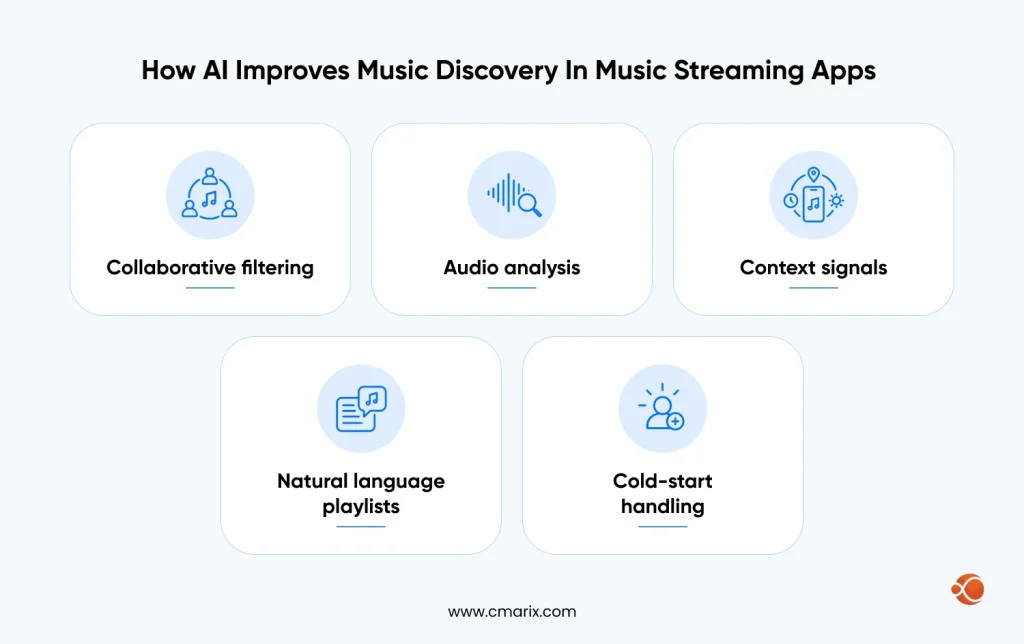
Discovery determines who stays and who goes. No one will scroll through millions of tracks, so recommendation takes care of that job.
There are many signals to modern discovery platforms:
- Collaborative filtering – Learns from what similar listeners play, save, and skip.
- Audio analysis – Reads tempo, key, energy, and mood directly from the sound, which helps new tracks with no play history.
- Context signals – Time of day, activity, and device define appropriateness.
- Natural language playlists – Users type a mood or scene and receive a matching mix.
- Cold-start handling – New users have to answer onboarding questions and listen to popular playlists until their behaviors are analyzed.
Monitor skip rates, saves, and completion rates to see whether the recommendations are making an impact. Moreover, be sure to review your licensing agreement prior to rolling out any playlists or audio that were created using artificial intelligence.
Why Choose CMARIX for Custom Music App Development
The music apps discourage shortcuts, and they appear in reviews after just a few days in the form of playback issues, back-end issues, or problems with testing. CMARIX develops the full range of mobile and web applications, from architecture and back-end streaming to release and ongoing support.
When you need to expand your team rapidly, you can depend on our dedicated mobile app developers who will act as an extension of your product development team and remain with the project for subsequent versions. The process starts with your user, your content, and your route to licensing.
Conclusion
Music app development is all about timing. Choose your user, reason for existence, figure out the licensing up front, develop a good MVP, and new capabilities only when you’ve been told by your listening data that you should.
Budget from around $25,000 for a targeted MVP all the way to $300,000+ for an enterprise-level application, plus royalties and operational expenses. What will make the founders succeed is not their long list of capabilities. It’s their applications that load quickly, recommend effectively, and honor the artists who created the music.
FAQs on Music App Development
How to develop a music streaming app?
Identify the niche and licensing strategy before creating the MVP, which will have searching capability, a robust player, playlists, and payment flow. Develop the backend infrastructure and streaming system before launching the mobile clients in short sprints, and test it on actual devices with bad connectivity. Deploy to a limited beta community and track retention rate and skip rate.
What are the essential features for a modern music app?
All music applications nowadays require registration, searching, background player functionality, playlists, and subscription payment systems. Offline downloads, recommendation engines, and push notifications are added shortly thereafter. More complex functions like synced lyrics, artist dashboards, and cross-device synchronization can be added later on when sufficient user data is available.
What is the best tech stack for building a music app in 2026-27?
Typical combinations include React Native or Flutter as front end, Node.js or Python as back end, PostgreSQL plus Elasticsearch as a catalog and search tool, and S3-compatible storage. Audio is converted using FFmpeg or managed services and streamed via CDN in HLS or MPEG-DASH format. Use Widevine and FairPlay DRM only when needed by your licensing agreements.
How can I solve the shuffle-only frustration in free music apps?
Make sure that you have what your licenses give you first, as on-demand playback requires more extensive permissions compared to radio-like playback. You can then provide options such as select-then-shuffle, daily on-demand plays limited to a certain number of tracks, or ads that reward on-demand listens for a set period of time.
How do I integrate music APIs for product development?
Choose between metadata, streaming, or both. Metadata services like MusicBrainz and Last.fm enhance your media library, while streaming APIs from the top music players always require the user to be a paying subscriber, and have very strict licensing terms. Always read all the licenses prior to building your solution around any API, and ensure that all integrations go through your service layer.
What is the difference between a music player and a music streaming app?
The music player plays only songs previously loaded onto the device. The streaming application, on the other hand, streams licensed audio from the servers on request and includes accounts, cataloging, distribution network, royalty management, and subscriptions, which make it significantly more expensive to create and maintain.
How can I optimize an app for offline listening?
Encryption for downloads, resumable downloads, selection of download quality, and WiFi only. Provide information about storage utilization and perform license renewal silently in the background to enable continuous playback of the downloaded music. Pre-cache upcoming queue items when the connection is strong to reduce buffering later.
How much does music app development cost?
Typical costs associated with the development of music apps range from $25,000 to $60,000 for MVPs, from $60,000 to $150,000 for mid-range applications, and $150,000 to $300,000+ for enterprise-grade platforms. Licensing, royalties, and CDN usage sit outside those figures. Yearly maintenance usually adds 15% to 20% of the initial development cost.
How do I choose a music app development company?
Seek experience with audio and/or media streaming, not merely application development. Find out about their handling of background streaming, adaptive streaming, DRM, and offline capabilities, and ask for references. Make sure that they provide quality assurance and ongoing support, as your music application will require constant updates as OSes evolve.
How can AI improve the music discovery experience?
Artificial intelligence blends listening history, sound analysis, and contextual information like the time of day to give music suggestions based on the situation. The algorithm helps surface new music in surfacing without any play history and allows users to create playlists by typing in moods and scenes. Music skips and saves prove the effectiveness of the suggestions.