Quick Summary : Android app development cost typically ranges from a few thousand dollars for a basic app to well on app complexity, features, design, developer location and the native versus cross-platform decision. This guide breaks down each factor so you can budget with a actual numbers instead of guesswork.
Most business owners go into app development with a number in their head, usually one they heard from a friend or read in a forum post. Then they talk to an actual development team, and the quote doesn’t match. That gap exists for a reason.
Android app development cost depends on so many moving parts that a flat number rarely tells the full story. Design complexity, features, the platform approach you pick, where your developers are based, and continuous maintenance all stack together. Skip any one of these in your budget, and you’ll end up paying for it later, normally at the worst possible time, often as a change order mid-project or a server bill you didn’t see coming after launch.
What Is Android App Development Cost?
Android app development cost is the total amount you spend to design, build, test, launch, and maintain an app for the Android platform. That includes:
- Design and development hours (the biggest chunk of the total)
- Backend infrastructure and API integrations
- Testing and security audits
- App store registration fees
- Post-launch maintenance and updates
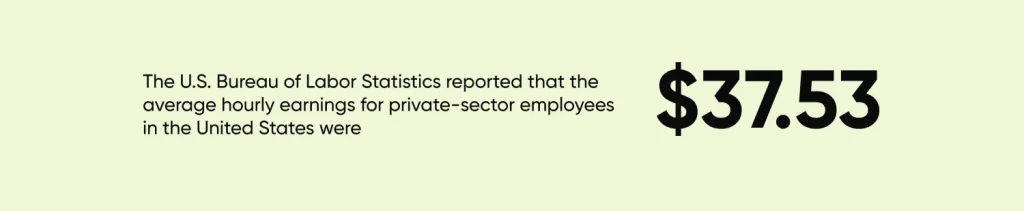
Labor makes up the bulk of this cost, and labor rates vary a lot depending on who’s doing the work. The U.S. Bureau of Labor Statistics reported that the average hourly earnings for private-sector employees in the United States were $37.53. Software developers typically earn well above that general average, which is part of why hiring a developer in the US costs more than hiring one in India or Eastern Europe for the same scope of work.
It also helps to separate one-time costs from recurring ones early, because the two get budgeted very differently:
| Cost Category | One-Time or Recurring | Typical Cost Range | Examples |
| Development | One-time | $10,000 – $300,000+ | UI/UX design, app development, testing, and deployment |
| App Store Fees | One-time | $25 | Google Play Developer account registration fee required to publish apps on the Google Play Store |
| Hosting & Backend Infrastructure | Recurring | $20 – $5,000+ per month | Cloud hosting, databases, storage, CDN, and server maintenance |
| App Maintenance & Support | Recurring | 15%–25% of the initial development cost per year | Bug fixes, security patches, Android OS updates, performance optimization, and feature enhancements |
| Third-Party Services & APIs | Recurring | $10 – $10,000+ per month | Payment gateways, mapping services, analytics tools, push notifications, authentication services, and AI APIs |
If you’re still deciding whether an app is the right move at all, it’s worth reading up on mobile app development cost as a category before narrowing in on Android specifically, since some of the cost logic applies across platforms regardless of which one you build for first. You can also use CMARIX’s mobile app development cost calculator to estimate a budget before narrowing in on Android specifically.
Factors Affecting Android App Development Cost
Before getting into how to actually calculate a budget, it helps to see the full list of cost drivers side by side.
| Factor | Why It Affects Cost | Approx. Cost Impact |
| App complexity | More screens, logic, and backend work means more development hours | $5,000 – $50,000+ |
| Features and integrations | Payments, live data, and third-party APIs add development and testing time | $1,000 – $20,000+ per feature set |
| UI/UX design | Custom, original design takes more hours than template-based layouts | $3,000 – $25,000 |
| Developer location | Hourly rates vary significantly by region for similar skill levels | $20 – $150+ per hour |
| Native vs cross-platform | Native costs more upfront but performs better on device hardware | 10% – 30% cost difference |
| Testing and security | Security audits and QA add time but reduce post-launch risk | $2,000 – $10,000 |
| App store and ongoing fees | Small individually, but they add up across the app’s lifetime | $25 one-time, plus recurring hosting/API costs |
Each of these factors works together rather than in isolation. A feature-heavy app built with a custom design and a native approach will always cost more than a simple app built cross-platform with off-the-shelf UI components. The steps below walk through how to actually price out each one.
How to Estimate Android App Development Cost: A Step-by-Step Guide
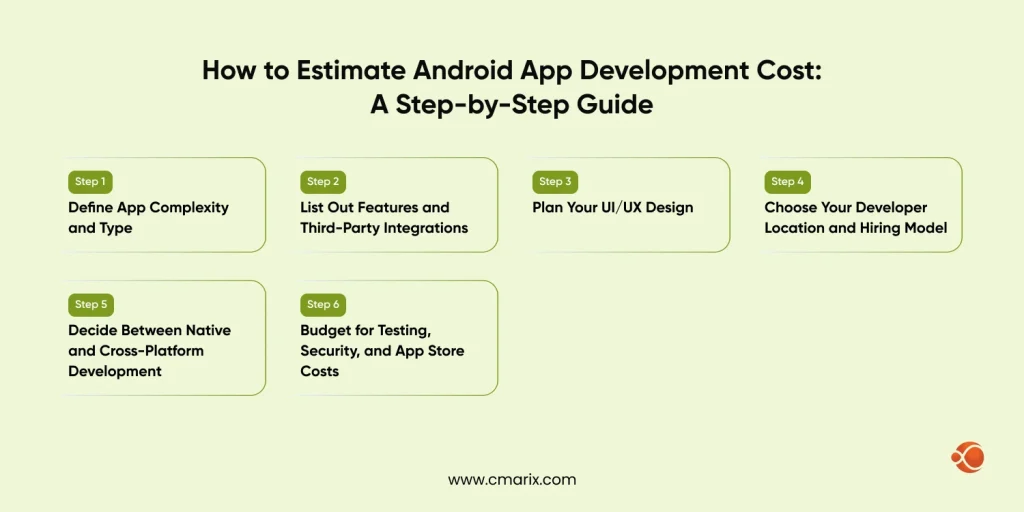
Step 1: Define App Complexity and Type
| App Type | What It Includes | Approx. Cost Estimate |
| Basic utility app | Static screens, minimal backend | $5,000 – $15,000 |
| Mid-tier app | User accounts, database, some integrations | $15,000 – $50,000 |
| Complex platform app | Multiple roles, live data, heavy backend | $50,000+ |
Step 2: List Out Features and Third-Party Integrations
Every feature you add has a cost attached, and some cost more than they look like they should.
| Feature Type | Relative Cost Impact |
| Push Notifications | Low |
| User Accounts & Profiles | Low to Moderate |
| In-App Messaging or Chat | Moderate to High |
| Payment Gateway Integration | High |
| Live Location Tracking | High |
| CRM or ERP Integration | High |
| Custom Analytics Dashboards | Moderate to High |
Make a feature list early and rank it by must-have versus nice-to-have, because this is where scope creep quietly inflates a budget. It’s common for a project to start with a clean, focused feature list and end up two or three times the original scope by the time someone in a meeting says, “While we’re at it, can we also add?”
Step 3: Plan Your UI/UX Design
Design is not just making things look nice. It’s mapping, wireframes, user flow, prototyping and then actual visual design. A polished, custom interface with original illustrations or animations takes more design hours than a clean, template-based layout.
A few questions worth answering before design work starts:
- How many unique screens does the app actually need, accounting for error states, empty states, and edge cases?
- Does your brand require a fully custom visual identity, or can you work from an established design system?
- Will the app need accessibility considerations built in from the start, since retrofitting these later is more expensive than designing for them upfront?
Decide upfront how much your brand depends on a distinctive look, because that decision directly affects the design budget, sometimes by a significant margin.
Step 4: Choose Your Developer Location and Hiring Model
| Region | Approx. Hourly Rate |
| United States | $80 – $150+ |
| Western Europe | $50 – $100 |
| India | $20 – $40 |
If you’re weighing hiring options, it helps to look at what it actually takes to hire Android app developers before locking in a budget.
Step 5: Decide Between Native and Cross-Platform Development
| Factor | Native Android Development | Cross-Platform Development |
| Performance | Generally better | Generally good, with occasional tradeoffs |
| Cost for Android-Only App | Higher platform-specific investment | Similar or slightly lower |
| Cost for Android + iOS App | Higher overall due to separate codebases | Lower overall due to shared codebase |
| Access to Device Hardware | Full access to platform features | Mostly full access, with some limitations |
| Development Timeline | Longer when building for multiple platforms | Often faster for multi-platform projects |
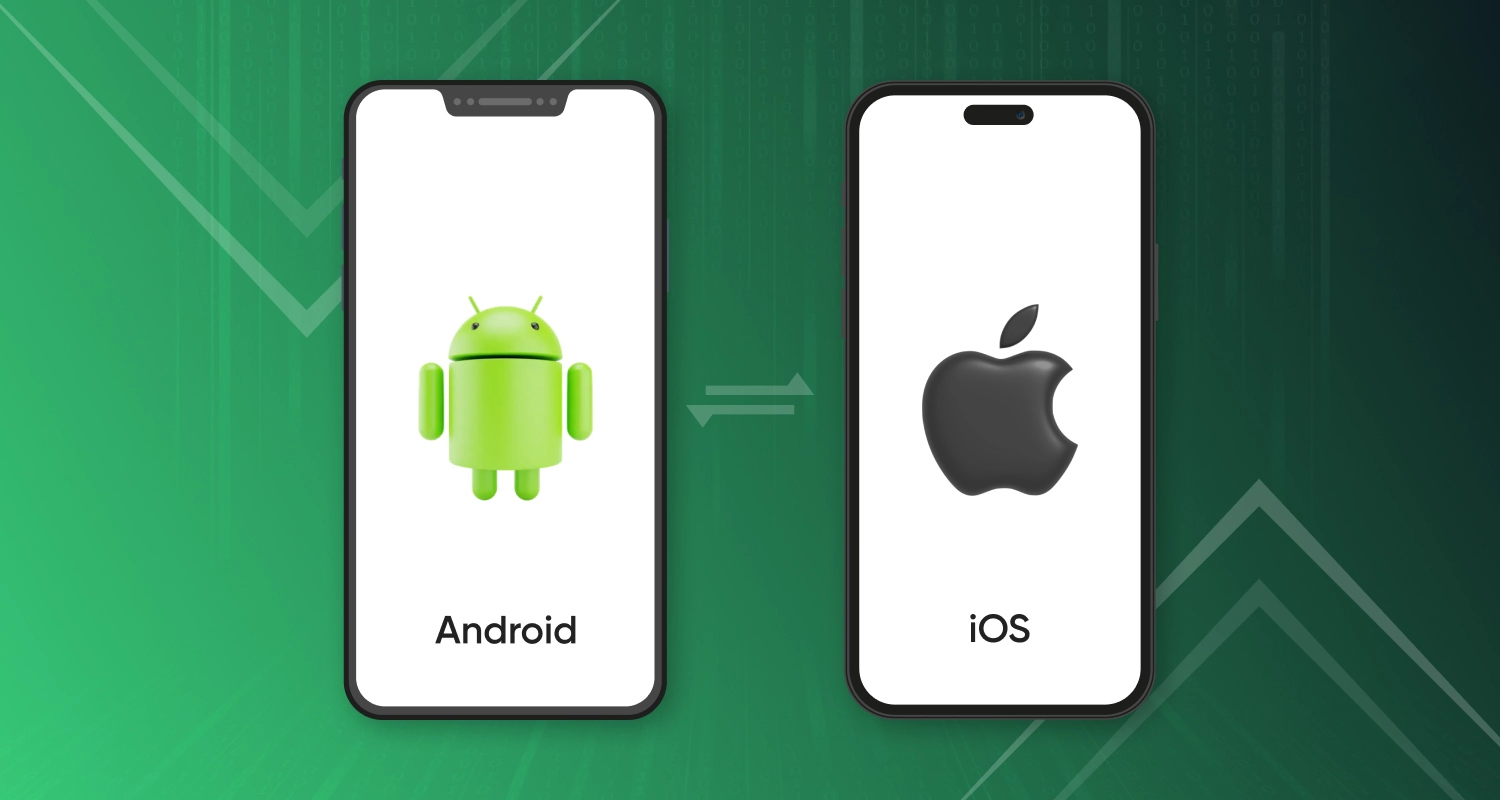
This decision is big enough that it deserves its own research; our breakdown on Android vs iOS app development covers the tradeoffs in more depth, including how they apply specifically to teams trying to decide between one platform and two.
Step 6: Budget for Testing, Security, and App Store Costs
Testing isn’t optional, and security testing especially shouldn’t get skipped to save money. Many development teams run security audits based on the mobile app security verification standard, which checks for common vulnerabilities before launch, things like insecure data storage, weak authentication, and unprotected API endpoints.
You’ll also need to budget for the Google Play Console registration fee, which is a one-time $25 charge to create your developer account. It’s a small number next to everything else on this list, but it’s an easy one to forget when you’re building out a budget spreadsheet, and you’ll need it well before launch day, not the week off.
Our team can map out a realistic budget based on your exact requirements, no guesswork involved.
Android App Development Cost by App Type (2026)
Cost ranges shift depending on what you’re building.
| App Type | Primary Cost Driver |
| Simple Utility App | Minimal backend infrastructure and basic user interface |
| Mid-Tier App with User Accounts & APIs | User authentication, backend development, and third-party integrations |
| Ecommerce Android App | Payment gateway integration, inventory management, security, and order processing |
| Complex Platform App | Multiple user roles, real-time data processing, advanced integrations, and scalable architecture |
| Startup MVP | Core feature development focused on validating market demand with minimal initial investment |
Native Android app development cost is usually higher upfront than cross-platform, since you’re not reusing code across platforms, but it often pays off in performance for apps that lean heavily on device features like camera access, sensors, or offline functionality.
Ecommerce Android app development cost tends to land on the higher side, specifically because of the security work needed to handle customer payment data safely, along with the catalog management and inventory syncing that most ecommerce apps require from day one.
Startup app development cost often gets planned around an MVP first, a stripped-down version with just the core features, before adding the rest after testing the idea with real users. This approach keeps the initial Android app development cost lower while still letting you validate demand before committing to a full build. It’s a far less risky way to spend money than building every feature you can imagine before you know whether anyone wants the app at all.
Android App Development Cost by Region
Region matters just as much as feature scope. Android app development cost in India tends to run noticeably lower than in the US or UK for the same project, mainly because Android developer cost per hour varies so much by region.
| Region | Typical Hourly Rate (USD, approx.) | Relative Cost Level |
| India | $20–$50 | Low |
| Eastern Europe | $30–$80 | Moderate |
| Western Europe | $75–$150 | High |
| United Kingdom | $80–$160 | High |
| United States | $100–$250+ | Very High |
| Australia | $80–$180 | High |
That gap is one of the main reasons companies look overseas for development work, though it’s worth weighing communication and time zone differences against the savings, since cheaper hourly rates don’t always translate to a cheaper total project if communication gaps slow things down.
It’s also worth budgeting separately for what comes after launch:
- Android app maintenance cost typically runs as an ongoing percentage of your original build cost each year, covering bug fixes and OS updates
- Mobile app development timeline affects total spend indirectly, since longer timelines mean more billable hours
- App store fees and renewals add small but recurring costs over the life of the app
- Server and hosting costs scale with your user base, so a successful app often costs more to run a year after launch than it did at launch
Share your app idea and get a detailed breakdown back, no obligation attached.
Future Trends Impacting Android App Development Costs
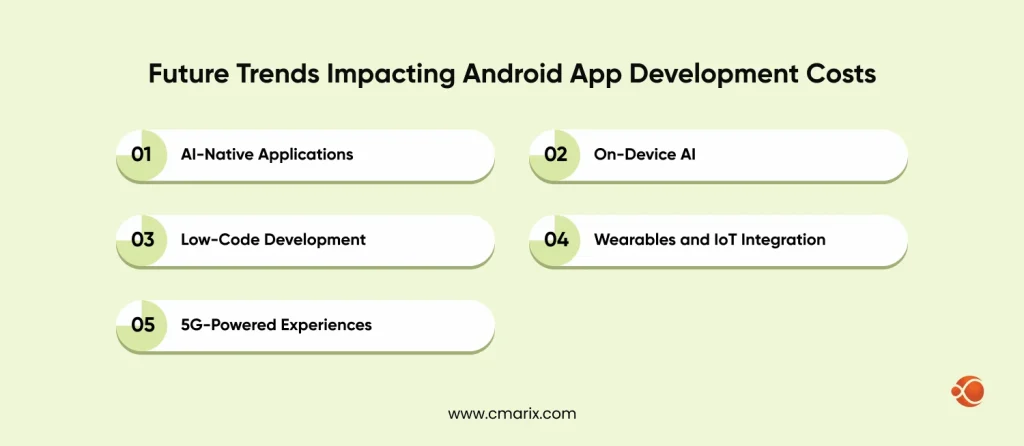
A few shifts in how apps get built are starting to change cost structures, sometimes lowering them and sometimes adding new line items entirely. Worth keeping an eye on these if your roadmap stretches more than a year out.
- AI-Native Applications: Applications built with AI features developed into the core experience, not bolted on after, require more upfront architecture work but often reduce long-term support costs by automating tasks that used to need manual backend logic.
- On-Device AI: Running AI models directly on the phone instead of through cloud APIs cuts ongoing server costs but adds development complexity for optimization, since the app has to work within the phone’s processing limits
- Low-Code Development: Visual development platforms are reducing the barrier for simpler apps, which can shrink budgets for straightforward projects, though they tend to hit a ceiling once requirements get more complex
- Wearables and IoT Integration: Apps that need to sync with smartwatches, fitness trackers, or smart home devices add testing and compatibility costs across more hardware, since each device type behaves a little differently
- 5G-Powered Experiences: Faster networks are opening the door to richer real-time features, like high-quality video streaming or AR, which add development scope where they’re used but can also differentiate an app from competitors still building for slower connections
None of these are mandatory for every app, but they’re worth factoring into long-term planning even if they don’t make it into version one.
Why Businesses Choose CMARIX for Android App Development
Budgeting for an app is only half the equation. Who builds it matters just as much as what it costs. CMARIX works as a full-service mobile app development company, handling everything from initial planning through post-launch support, so you’re not stitching together separate vendors for design, development, and maintenance.
Our Android app development services include the creation of native applications and cross-platform apps at transparently priced rates, which we discuss right from the beginning before writing a single line of code. This allows you to be aware of how much you will pay for your application all the way through its life cycle.

Final Thoughts
Android app development cost isn’t a single number you can pull from a price list. It’s the total of decisions you make about features, complexity, design, and who builds it. Get clear on those factors early, and your budget will be a lot more predictable than going in blind and hoping for the best. Businesses that end up happiest with their spend usually treat this as a planning exercise instead of chasing a single quote.
The practice to maintain is that of distinguishing between requirements and wishes before making a quote request. This is the most important step here, because scope creep seldom happens overnight, and it can easily push your budget out of balance. No matter whether it is an application or a platform you’re creating, always know exactly what you pay for and why.
FAQs on Android App Development Cost
What determines the cost of an Android app?
Cost is determined by app complexity, feature set, design requirements, developer location, and the platform approach you choose between native and cross-platform. Testing, security, and post-launch maintenance add to the total as well.
What drives the cost of an Android app?
Features that need backend infrastructure, like real-time data, payment processing or third-party integration, drive costs up the most. Custom design work and native development also add to the budget compared to simpler, template-based builds.
How much do simple vs. complex Android apps cost?
Simpler applications that have static content require less money compared to complicated applications that require real-time data, multiple user levels, and many integrations. The difference in cost between the two can be several times more than the original budget estimate.
How do developer rates vary by region for an Android app?
Developer rates in the US and Western Europe run higher than rates in India or Eastern Europe for comparable skill levels. This is one of the biggest levers available for controlling overall project cost.
What are the hidden or ongoing costs for an Android app?
Hidden costs include app store registration fees, third-party API charges, security audits and continuous maintenance after launch. Many first-time app owners budget for development but forget to plan for what happens after the app goes live.
Native vs. Cross-Platform for Android: Which should I choose?
Natively-developed applications are more likely to have enhanced performance capabilities and compatibility with the hardware specifications of the phone, whereas cross-platform applications reduce costs when you need to develop an app for both Android and iOS.
Are there any Android app store registration fees?
Yes, Google Play Console requires a one-time $25 registration fee to create a developer account. It’s a small cost compared to development, but it’s a required step before you can publish anything.