Quick Summary: Open-source AI 3D model generators have removed most of the gap with paid platforms in 2026. Models like TRELLIS 2, TripoSR, and Hunyuan3D turn a single image or text prompt into a textured, game-ready mesh, and you can run every one of them on your own GPU for free. This guide breaks down the 7 best open source AI 3D model generators, what each one is actually good at, and how to pick the right one for your project.
3D asset creation used to mean either paying a modeler for days of work or paying a commercial API per generation. That changed fast. An open source AI 3D model generator now takes a photo, a sketch, or a line of text and hands back a usable mesh in under a minute, and you own the pipeline end to end.
The drawback is that it is an extremely fast-moving field, and many “best of” articles online are already obsolete or refer to closed-source tools that had nothing to do with the open-source philosophy at all. This guide only mentions tools with available public weights, license, and a GitHub repository.
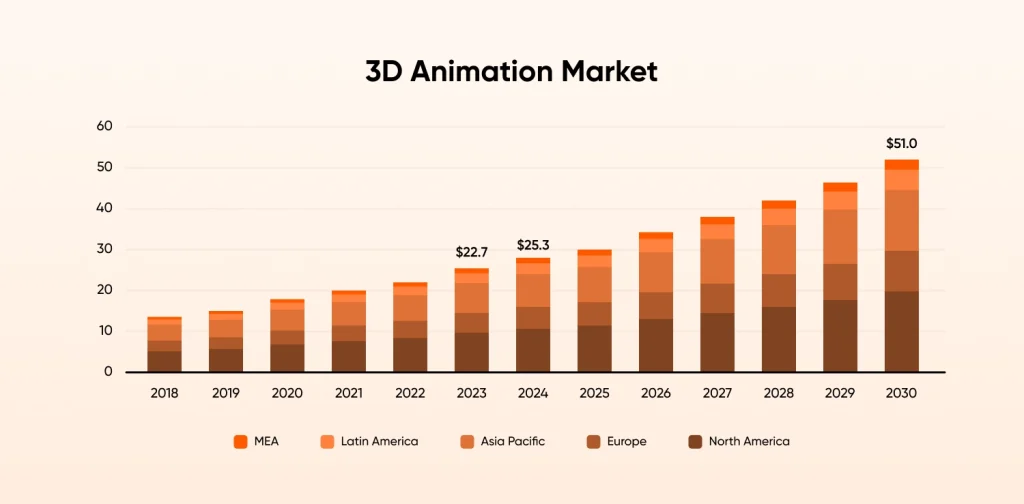
According to Grand View Research, the global 3D animation market will reach a 12.3% CAGR (compound annual growth rate) from 2023 to 2030. This growth drives demand for accessible 3D generation tools.
What Is an Open-Source AI 3D Model Generator?
An open-source AI 3D model generator is a model whose weights and code are typically under a permissive license like MIT or Apache 2.0. That’s different from a “free” tool; that just means you don’t pay for a hosted account. Rodin, Meshy, and similar platforms have generous free tiers, but the model behind them is closed. You’re renting access, not owning the pipeline.
This is important for assessing the pros and cons of building vs buying. In the case of self-hosting, you own the data, the cost per generation, and the license for your output. With the hosted option, you get convenience and assistance but are bound by their terms and their pricing structure. Companies that want the customization angle without hiring an in-house ML team often bring in a partner to handle strategic AI PoC development before committing to a full self-hosted pipeline.
Most open models fall into three architecture families, and knowing which one you’re looking at tells you a lot about what to expect:
- Multi-view diffusion + reconstruction — a diffusion model generates several consistent 2D views of the object, then a network reconstructs the mesh from those views. This is what TRELLIS, Hunyuan3D, and InstantMesh do, and it produces the cleanest topology of the three approaches.
- Direct 3D generation — the model predicts a 3D representation directly, skipping the multi-view step. Point-E does this with point clouds. It’s fast, but the fidelity ceiling is lower.
- Single-image feed-forward reconstruction — one image goes in, a mesh comes out, often in under a second. TripoSR and Stable Fast 3D use this approach. You trade some fidelity for real-time speed.
Our AI engineers can help you scope the right approach.
How Open-Source AI 3D Generation Works
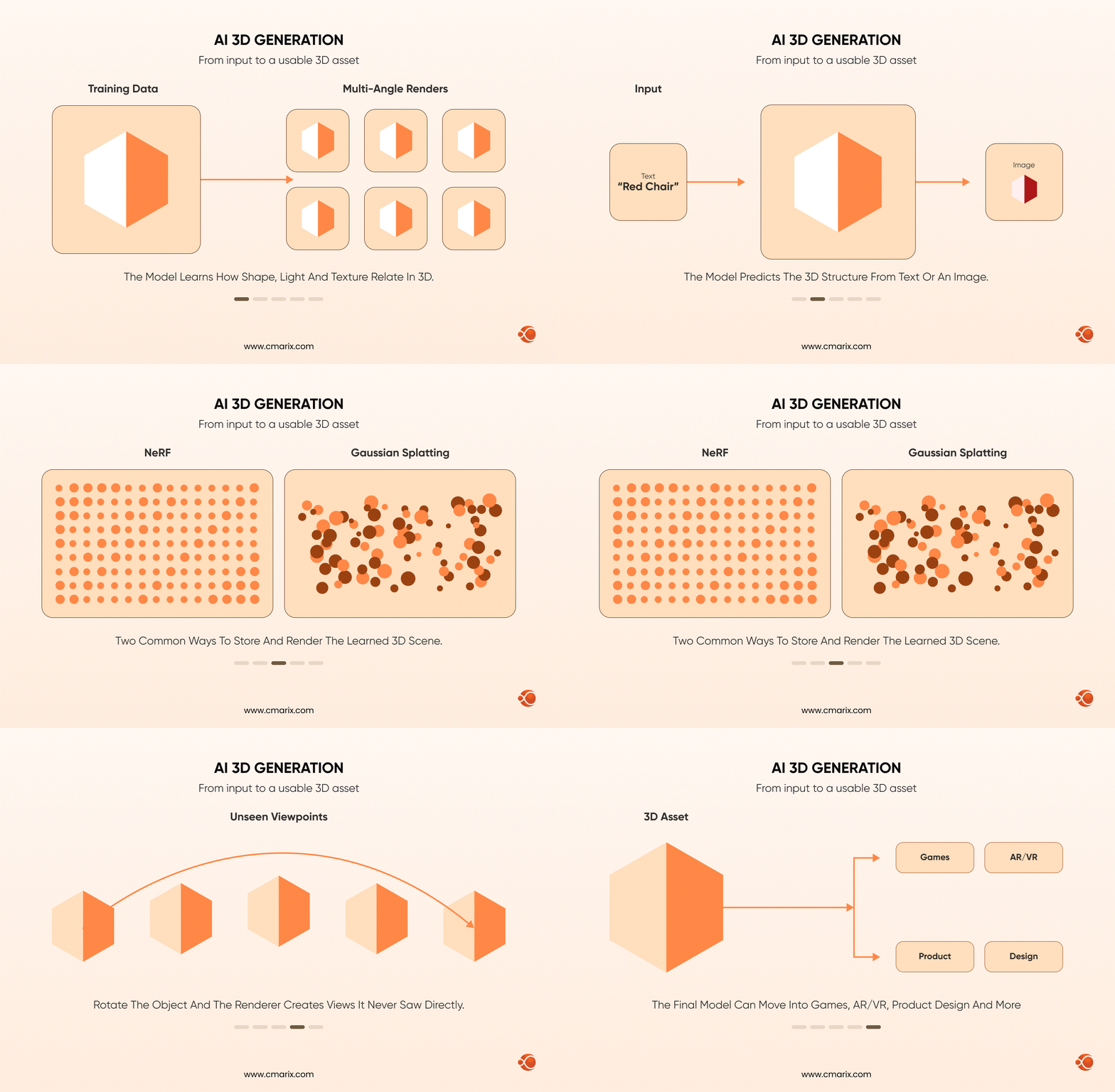
The common thread across all of these models is that they were trained on large paired datasets of 3D objects and their 2D renders from multiple angles. If you want to understand what that process actually involves before evaluating a model, our guide on how to build train AI model pipelines covers the same fundamentals these teams used, just applied to a general-purpose case. That training teaches the model how shape, shadow, and surface texture relate to each other in three dimensions, so it can infer the parts of an object it never actually saw.
Two representations show up constantly in this space and are worth knowing by name. Neural Radiance Fields, or NeRF, represent a scene as a continuous volumetric function that a renderer can query from any angle, which is how a model can generate a photorealistic view of a side of an object it was never shown. Gaussian Splatting is a newer, faster alternative that represents a scene as a cloud of 3D Gaussians instead of a continuous field, and it’s part of why models like TRELLIS 2 can render in real time without sacrificing much detail.
Text-to-3D and image-to-3D are the two entry points you’ll see across every model on this list. Text-to-3D gives you more creative range since you’re not constrained by a reference photo, but it’s harder to control precisely. Image-to-3D generally produces more accurate geometry because the model has a real reference to reconstruct from, which is why most production pipelines start with an image even when the original asset comes from a text-to-image step like Stable Diffusion 3D.
None of this requires a research background to use. If you’re coming from a software background rather than a 3D one, it helps to think of these models less like traditional modeling tools and more like the shift covered in our breakdown of AI vs traditional software development: you’re trading manual, rule-based work for a trained system that infers the result.
Best Open-Source AI Models for 3D Image Generation
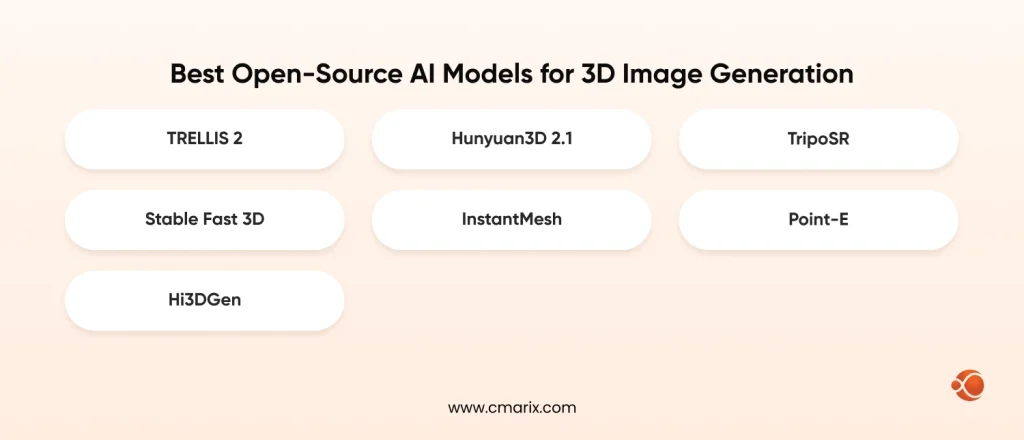
1. TRELLIS 2 (Microsoft Research)
TRELLIS 2 is currently the quality leader among fully open models for 3D image generation. Microsoft released it under the MIT license with no usage restrictions, which puts it ahead of most “open” alternatives that still gate commercial use behind a revenue cap.
This model uses an architecture of 4 billion parameters based on a representation called O-Voxel. This representation deals well with open surfaces, thin objects, and non-manifold geometry, which can’t be processed by SDF-based approaches. The model is able to generate PBR materials including transparency and translucency, which other models still can’t produce.
Key Benefits:
- MIT License without any restrictions for commercial use
- PBR Materials Generation, with full support for transparency
- Supports complicated topologies where previous mesh-based algorithms fail
- Under active development, supported by Microsoft Research
- Uses at least 16GB VRAM (tested on NVIDIA A100 / A6000)
2. Hunyuan3D 2.1 (Tencent)
The first publicly available model that came with production-ready PBR texture synthesis with full weight and training was Hunyuan3D 2.1. It is still ahead in texture realism in most independent benchmark tests. If realistic material appearance is more important to you than exact geometry, it would be a great choice. The full training code release also means teams with the right resources can pursue AI model fine-tuning development services to adapt it toward a specific product category rather than using it as-is.
A little note: Hunyuan3D isn’t unrestricted open source the way TripsoSR or TRELLIS 2 are. It ships under the Tencent Hunyuan 3D Community License, which explicitly does not apply in the UK, EU, or South Korea, and requires a separate commercial license if your product crosses 1 million monthly active users. Check the license terms against your actual deployment region before you build on it.
Key Benefits:
- Best textural and material accuracy of any open model
- All weights and training code included, so you can fine-tune it
- Multi-view diffusion model ensures perfect topology
- No cost for almost all commercial applications until certain revenue and MAU limits are reached
- License has real geographic and scale restrictions to check first
3. TripoSR (Stability AI + Tripo AI)
TripoSR is the speed winner. It is a feedforward reconstruction network that converts a single image to a textured mesh in less than 500 milliseconds on a single A100 GPU and requires only around 6GB of VRAM, making it accessible even for mid-tier consumer-grade graphics cards. It is distributed under the terms of the MIT License by Stability AI and Tripo AI together.
The difference is fidelity. TripoSR won’t match TRELLIS 2 or Hunyuan3D in fine detail, but for rapid prototyping, concept iteration, or any pipeline where you’re generating hundreds of variations to pick from in minutes.
Key Benefits:
- Sub-second generation on modern GPU hardware
- Only needs ~6GB VRAM, runs on consumer cards
- MIT license, unrestricted commercial use
- Simple, well-documented single-image workflow
- Backed jointly by Stability AI and Tripo AI with an active community
4. Stable Fast 3D (Stability AI)
Stable Fast 3D is TripoSR’s direct successor from the same team, and it adds UV-unwrapping, a delightful step, and predicted material parameters like roughness and metallic values, all in under one second per generation. That makes its output considerably more usable straight out of the box for game engines than TripoSR’s.
The license is different from the fully open models on this list. It’s free for research, personal use, and commercial use up to $1 million in annual revenue. Past that threshold, you need an Enterprise License directly from Stability AI, so it’s worth checking your numbers before you build a production pipeline around it.
Key Benefits:
- Texture generation is UV-unwrapped and ready to be used by game engines
- Sub-second generation time
- Automatically predicts properties of materials (roughness, metallic)
- Free for individuals and startups under a million dollars annually
- Enterprise licensing required above $1M annual revenue
5. InstantMesh (Tencent ARC Lab)
InstantMesh falls into the sweet spot of the speed vs quality trade-off. It uses a standard multi-view diffusion model alongside a sparse view reconstruction network inspired by LRM, outputting a full 3D mesh in 10 seconds. Its license is Apache 2.0, which is effectively as permissive as MIT.
It provides a good default option when you require better geometry than what TripoSR can provide but without waiting for more complex pipelines like TRELLIS 2 and Hunyuan3D.
Key Benefits:
- Apache 2.0 license, completely usable commercially
- Generation in 10 seconds
- Combines depth and normal supervision for improved geometry
- Well-known as a pipeline element among other open-source models
- Maintained by Tencent’s ARC Lab
6. Point-E (OpenAI)
Point-E is the oldest model on this list, and it’s still relevant for one reason: nothing else matches its speed-to-footprint ratio for point cloud generation. Released under the MIT license by OpenAI, it produces a 3D point cloud from a text or image prompt through a two-stage diffusion process, and it runs comfortably on modest hardware.
Since point clouds are not meshes, Point-E cannot be the right solution if one is looking to get an asset ready for use in a game. However, if one is building a robot or doing augmented/virtual reality prototyping, Point-E can still be used.
Key Benefits:
- MIT License, free usage
- Very lightweight, works in low GPU memory
- Two-step fast generation technique
- Fits perfectly for applications like robotics and AR/VR point clouds
- Easy deployment in edge devices
7. Hi3DGen (ByteDance / Stable-X)
Hi3DGen is the newest addition here and the one to watch. Instead of generating geometry directly from an image, it uses a “normal bridging” approach: it first estimates a high-quality normal map, then generates geometry from that normal map rather than from the raw image. In a user study comparing it against Hunyuan3D-2, Trellis, and other leading models, it scored highest on geometric fidelity with both professional 3D artists and amateur testers.
The commercial release, distributed through the Stable3DGen repository, is licensed under MIT after the team stripped out non-commercial NVIDIA dependencies from the original research code, so it’s cleared for business use.
Key Benefits:
- World’s best geometry details in independent studies by users
- MIT License – ready for commercial deployment
- Normal-based method to minimize artifacts on complex geometry
- Training was done on a custom-made high-detail dataset (DetailVerse)
- Actively developed with ComfyUI integration available
Want to compare Meshy or Rodin (formerly Hyper3D) instead? Both are strong hosted platforms, but neither is open source. Meshy is a commercial SaaS with a generous free tier and the widest ecosystem support, and Rodin specializes in hyper-realistic human character generation for film and advertising work. If you want a self-hosted pipeline you fully control, the seven models above are the ones to build on.
Quick Comparative Table of Open-Source AI 3D Models
| Model | Licensing | Rendering Speed | Required VRAM | Best Use Case |
| TRELLIS 2 | MIT License | Seconds | 16GB+ | Highest overall quality and full physically based rendering |
| Hunyuan3D 2.1 | Tencent Community License (geographical & scale limitations) | Seconds | 16GB+ | Highest-quality textures |
| TripoSR | MIT License | <0.5 seconds | ~6GB | Fast prototyping with limited VRAM |
| Stable Fast 3D | Stability Community License (free under $1M revenue) | <1 second | ~8GB | Game development |
| Point-E | MIT License | Fast | Low | Robotics, AR/VR, and edge deployment |
| Hi3DGen | MIT License | Seconds | 16GB+ | Best raw geometric detail |
A quick conversation can save weeks of trial and error.
How to Choose the Right Open-Source AI 3D Model Generator
Step 1: Identify Your Primary Use Case
Firstly, think about the actual requirements for the output. If you are making game assets that should immediately integrate into Unreal or Unity, the advantage of Stable Fast 3D’s UV-unwrapped output is that it will save you a lot of time for post-processing. For rapid prototype testing when you require dozens of versions of the asset in no time, then TripoSR’s one-second generation will help you the most.
Also consider the input format you’re starting from. A local AI 3D model generator like TRELLIS 2 or Hunyuan3D works from a single reference image, while Point-E can work from text alone, which matters if you don’t have reference photography to start with.
Step 2: Evaluate Your Hardware and Deployment Constraints
The real deciding factor in all of this is the VRAM. TripoSR uses a 6GB card, but TRELLIS 2 and Hunyuan3D require 16GB or more, meaning an RTX 4090, A6000, or cloud GPU instance is what you need. If you need to test several different engines before making your decision, then you can rent cloud GPUs for less than purchasing them.
Licensing is another point that needs to be considered, not a separate issue at the end of the process. The restriction by region of Hunyuan3D or the income ceiling by Stable Fast 3D can quietly render an engine unusable later in the project, when nobody bothered to check the licensing initially.
Step 3: Plan for Integration and Long-Term Maintenance
Generation is only the first stage of a real pipeline. Most teams need the output cleaned up, remeshed, and exported to OBJ or STL for 3D printing, or wired into a rendering engine for interactive use. If the end product needs to live in a browser, that’s where you’d usually use ThreeJS in web application development to render and manipulate the generated mesh client-side.
Open-source models also mean you own the update cycle. There’s no vendor pushing a new version to your account automatically. Once a model is in production, ongoing AI model fine-tuning is often what keeps output quality consistent as your asset library grows, rather than re-adopting a new base model every time one ships. Budget time for tracking new releases, since this field moves fast enough that whatever you deploy this quarter will likely be beaten by something new within six months.
Future Trends in Open-Source 3D AI Generation
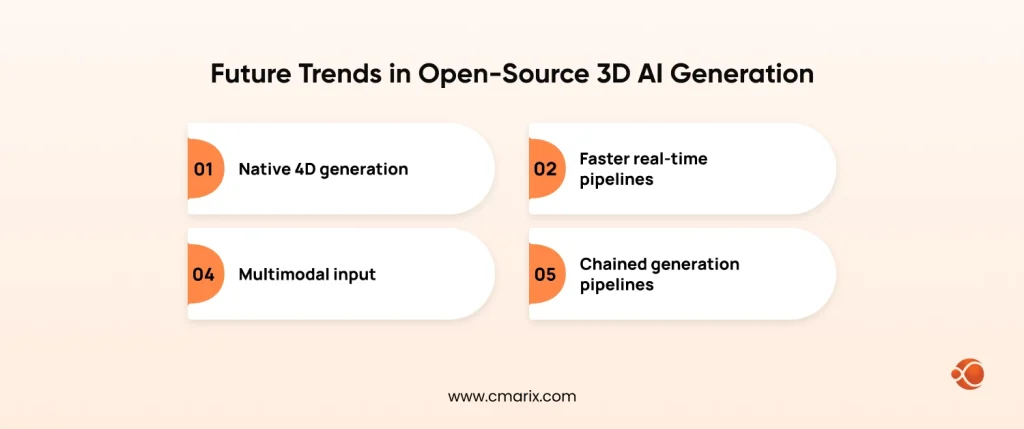
- Native 4D generation. The next real leap isn’t better static meshes; it’s models that generate animation and rigging alongside geometry. Expect the gap between “3D generation” and “3D animation” to keep closing through 2026 and into 2027.
- Faster real-time pipelines. Techniques like quantization and knowledge distillation are shrinking these models enough to eventually run generation on mobile and embedded hardware, not just workstation GPUs.
- Multimodal input. Combining sketches, text, reference images, and even voice descriptions into a single generation request is already showing up in research previews and will likely reach production tools within the next year. Businesses who hire AI developers will benefit by offering users the ability to describe an object verbally while sketching rough shapes, which will revolutionize design workflows.
- Chained generation pipelines. Rather than one model doing everything, the current trend is chaining specialized models together: a multi-view diffusion step, then a reconstruction step, and then a materials step. This mirrors how teams already create AI agents using GPT to orchestrate multiple specialized steps into one workflow, and expect more tooling built specifically to orchestrate these chains.

Tips and Best Practices for Open-Source 3D AI Generation
- Write specific prompts. “Metallic robot with a reflective chrome finish under studio lighting” produces more consistent results than “robot.” If you’re new to structuring prompts effectively, then you must read the AI prompt engineering guide that includes the fundamentals that carry over directly to image-to-3D and text-to-3D workflows.
- Control your input image quality. For image-to-3D models, a clean background, good lighting, and a clearly defined subject produce noticeably better geometry. The model has to guess at anything it can’t see, so the less ambiguity in the source image, the better the inference on hidden surfaces.
- Budget for post-processing. Almost no generated model is print-ready or game-ready straight out of the pipeline. Plan for mesh cleanup, texture touch-up, and remeshing in your regular 3D software before treating an output as final.
- Match your model to your hardware honestly. Trying to fit a 16GB-VRAM model into an 8GB card with some sort of quantization will take more effort from you in terms of troubleshooting than it is worth.
- Version everything. Keep track of which model, which prompt, and which settings produced each asset. When a client asks for a variation three weeks later, you want to reproduce the exact generation, not guess at it.
Why Choose CMARIX for Your AI-Powered 3D and Visual Pipeline
Standing up a self-hosted 3D generation pipeline is a different problem than picking a model off a comparison table. It means GPU infrastructure planning, integration into your existing asset pipeline, and often real-time rendering at scale, which is a technical challenge we’ve solved before outside of 3D specifically.

Idomoo, a video personalization software, can be considered an exact analogy. The company employs a real-time, GPU-accelerated rendering engine which enables the creation of large amounts of personalized video content, essentially the same type of technology as in the production of 3D models in real time.
Whether you’re evaluating which of these seven models fits your product, need help wiring generation output into a game engine or web app, or want a full pipeline built from scratch, our AI development team handles the infrastructure and integration work so you’re not learning GPU orchestration on your own time.
Conclusion
The open-source 3D AI ecosystem is worlds apart from what we’ve seen just a year back. The Hi3DGen and TRELLIS 2 projects have managed to close most of the visible quality gap with commercial solutions; Stable Fast 3D and TripoSR are taking care of the real-time side of things, and licensing has become far clearer. Whether more permissive or not. Point-E, ByteDance, Microsoft, Tencent, and Stability AI continue rolling out new versions, which means we’ll need to revisit this list once again this year.
Pick as per what you actually need instead of going for what scores best in the benchmarking exercise. Speed, licensing, and accessibility of hardware resources tend to play bigger roles in the selection process than mere quality metrics do. That’s precisely where the value of a development partner comes into play for teams seeking to have the work of model selection and infrastructure done by experts with actual production experience.
FAQs on Open Source AI 3D Model Generator
What is the best free alternative to Meshy AI?
TRELLIS 2 and Hunyuan3D 2.1 are the closest free, self-hosted alternatives in output quality. Neither has Meshy’s polished web interface, but both run on your own hardware with no per-generation cost and no account limits.
How can I convert a 2D image into a 3D model using AI?
Upload a clear image with a well-lit, clearly defined subject into an image-to-3D model like TripoSR, TRELLIS 2, or Hunyuan3D. The model generates multiple consistent views internally, then reconstructs a textured mesh from them, usually in under a minute depending on the model.
Can I run an AI 3D model generator locally on my computer?
Yes, every model on this list can run locally if you have a compatible NVIDIA GPU. TripOSR needs only about 6GB of VRAM, while TRELLIS 2 and Hunyuan3D want 16GB or more for full-quality generation.
Are AI-generated 3D models suitable for 3D printing?
They need to be cleaned up first. Save as an OBJ or STL file, then clean up any problems with the mesh using repair software because the generated meshes typically have very minor problems that slicers will complain about.
What is the difference between Point-E and mesh-based 3D generation?
Point-E outputs a point cloud, a collection of individual points describing an object’s surface, not a connected mesh. Mesh-based models like InstantMesh or TRELLIS 2 output a full surface with connected polygons; that is what you need for animation, texturing, or 3D printing without an extra reconstruction step.
What is the best text-to-3D model API for commercial use?
In terms of open-source, Point-E still stands out as the most user-friendly text-to-3D model, which comes with the liberal MIT license. When it comes to high-quality commercial text-to-3D generation, most pipelines follow a sequence whereby text-to-image is followed by image-to-3D, for example, TRELLIS 2.
Can AI create 3D models from text prompts?
Yes. Point-E generates directly from text, and most other models on this list support it indirectly by first generating a reference image from a text prompt, then converting that image into a 3D model.
What are the best open-source models for 3D image generation in 2026?
Hunyuan3D 2.1, TRELLIS 2, and Hi3DGen excel in output quality, whereas Stable Fast 3D is faster. It all depends on what is more important to you: output quality, speed, or the size of the hardware.