Quick Summary: No single tool fixes a messy data pipeline. In this guide, we compare 16 data analysis tools across the six pipeline stages: ingest, store, transform, analyze, visualize, and govern. We also show how to match tools to your business question, data, and team skills, and give you a 90-day rollout plan, a cloud security checklist, and a list of common mistakes to avoid. Start with the quick-answer table below if you’re short on time.
Data analytics software transforms raw data into actions. The right combination will clean your data, scale with your data flow, and give input to AI systems that is reliable. Here, we discuss each tool, its limitations, and how CMARIX can help.
Did you know?The data pipeline tools market size reached around USD 14.7 billion in 2025. The market is predicted to grow at a CAGR of around 30% during 2026–2033, reaching almost USD 114.3 billion.
Most teams don’t have a data shortage. They have a usability problem. Sales numbers sit in one system and customer records in another. Finance exports spreadsheets every Friday. The data science team waits weeks for clean inputs.
No single product fixes this. You need a connected set of data analysis tools, chosen for your data, your people, and your goals. The sections below help you make that choice step by step.
What Are Data Analysis Tools?
A data analysis tool is software that gathers, cleans, transforms, explores, models, and visualizes data. The main idea behind this kind of software is to help people draw conclusions and find patterns from data, not assumptions.
Some tools do one function very well, such as cleaning a file. Others include storage, processing, modeling, and dashboards. These are called data analytics platforms.
Every tool supports one or more of these jobs:
| Stage | Description |
| Collect | Gather data from databases, apps, files, sensors, and APIs. |
| Prepare | Remove duplicates, standardize formats, and handle missing data. |
| Analyze | Use queries, statistics, and machine learning models to extract insights. |
| Visualize | Present results using charts, graphs, and dashboards. |
| Govern | Manage access, track data lineage, and ensure data quality. |
Data analysis itself isn’t new. Scale and speed are. A decade ago, a weekly report was fine. Today, teams want answers in minutes and models that keep learning.
Quick Answer: Which Data Analysis Tool Fits Which Job?
Short on time? Start with this table. The later sections explain each pick.
| Your main goal | Strong starting point |
| Custom analysis and machine learning | Python |
| Rigorous statistical research | R |
| Fast SQL reporting on cloud data | Snowflake or BigQuery |
| Processing very large datasets | Apache Spark or Databricks |
| Executive dashboards | Power BI, Tableau, or Looker |
| Analysis without coding | KNIME or Alteryx |
| Real-time event processing | Apache Kafka with Apache Flink |
| Data quality testing | dbt tests or Great Expectations |
Why Data Analysis Tools Matter for AI and Big Data Pipelines
AI depends on the data that you feed it. If that data is flawed, outdated, or insufficient, your model will replicate those flaws. Better algorithms can’t fix that. Better data can.
That’s why data and AI transform businesses only when the pipeline underneath works. Without that base, AI pilots stall right after the demo.
Teams bring us the same five problems again and again:
- Slow decisions. Analysts spend most of their time finding and cleaning data.
- Conflicting numbers. Two dashboards show two different revenue figures for the same month.
- Data silos. Marketing, sales, and operations each hold one piece of the picture.
- Fragile pipelines. A single schema change breaks reports overnight. Nobody notices until Monday.
- Unusable AI data. Models need labeled, consistent, documented inputs, and those don’t exist yet.
This cost is real. Gartner research suggests that poor data quality costs organizations an average of $12.9 million a year. Most of this cost comes from rework, bad decisions, and missed opportunities.
An efficient data analytics tool faces the problem directly. They help automate data cleansing, standardize metric definitions, and alert you to failures. Don’t purchase any tools before you know how ready your data is for artificial intelligence. This determines if your data can even use a model.
For broader business context, see our blog on AI for digital transformation, which highlights how analytics maturity drives early winners in AI adoption.
Build reliable data pipelines with CMARIX. Explore Data Engineering Services
The Modern Data Pipeline: Where Each Tool Fits
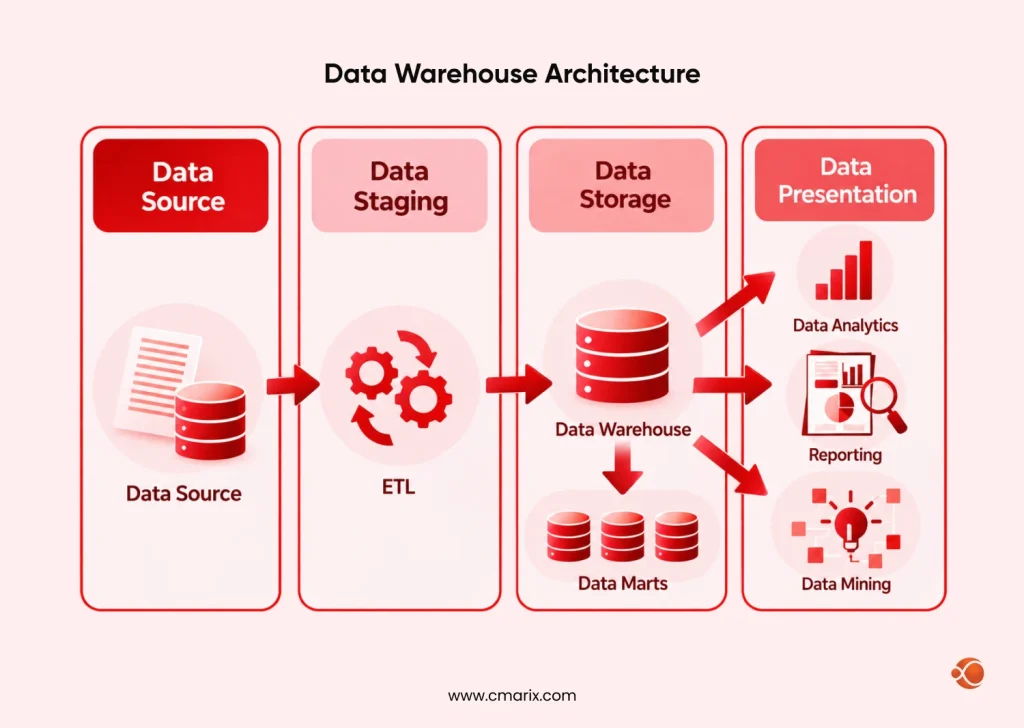
Many purchasing mistakes stem from comparing products with dissimilar purposes. A dashboarding tool can’t replace a processing engine. A warehouse can’t replace a quality controller.
Picture your pipeline as six stages. Each one needs its own data analytics software.
| Stage | Purpose | Example Tools | Common Challenge |
| Ingest | Data moves in from sources | Kafka, Fivetran, Airbyte, custom APIs | Missing or duplicate records |
| Store | Data lands in a lake or warehouse | Snowflake, BigQuery, Databricks, S3 | Costs grow without control |
| Transform | Raw data becomes analysis-ready | dbt, Spark, Python | Logic lives in one person’s head |
| Analyze | Teams query, model, and predict | SQL, Python, R, Spark | Results can’t be reproduced |
| Visualize | Insights reach decision makers | Power BI, Tableau, Looker | Dashboards nobody trusts |
| Govern | Quality, access, and lineage stay in check | Great Expectations, catalog tools | No owner for data issues |
What Are The Different Types of Data Analysis Tools
Different analytical tools solve different problems. This table shows the main groups.
| Category | Primary Use | Example Tools | Complexity |
| Programming and statistics | Custom analysis, modeling | Python, R | High |
| Warehouses and database analytics software | Fast queries on structured data | Snowflake, BigQuery, Redshift | Medium |
| Big data processing | Very large or complex datasets | Apache Spark, Databricks | High |
| Streaming | Events and live data | Kafka, Flink | High |
| Business intelligence | Dashboards and reporting | Power BI, Tableau, Looker | Low to medium |
| Low-code and visual | Analysis without heavy coding | KNIME, Alteryx | Low to medium |
| Quality and governance | Testing and tracking data health | Great Expectations, dbt, catalogs | Medium |
No category wins alone. Strong stacks combine three or four.
Best Data Analysis Tools in 2027
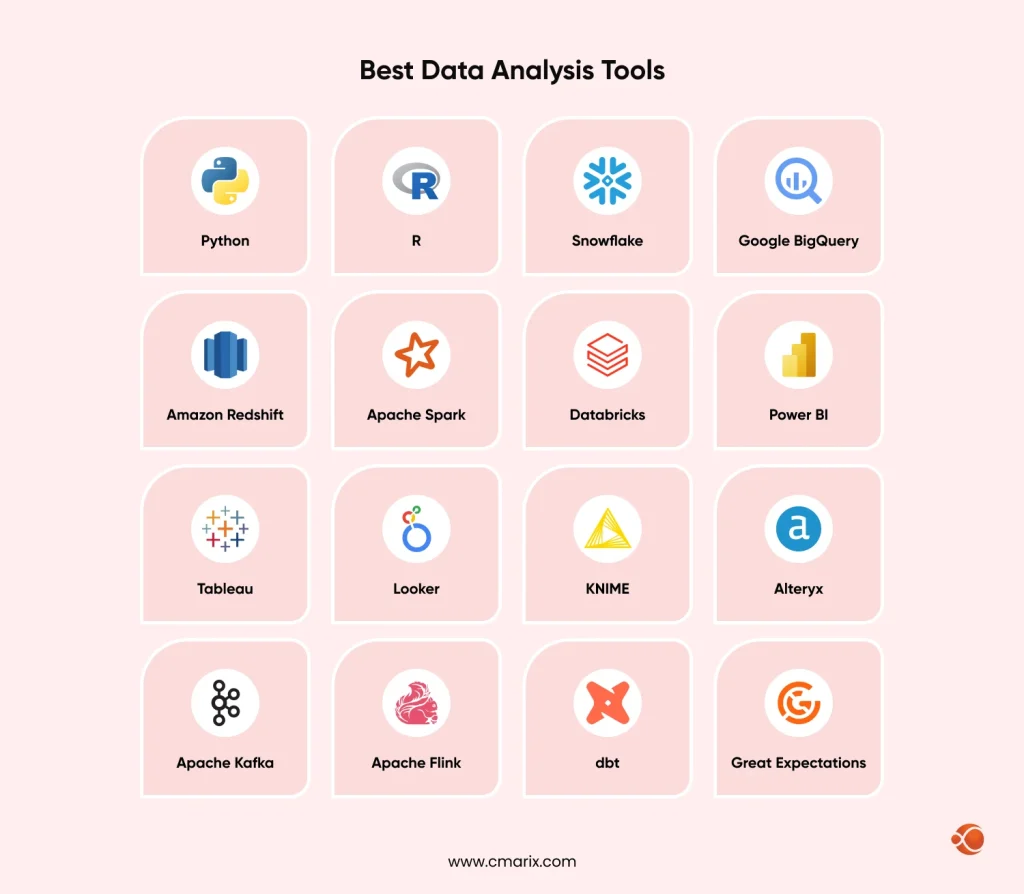
| Data Analysis Tool | Strengths | Limitations | Best Fit |
| Python | Free, widely taught, covers analysis, ML, and automation | pandas is limited to one machine, with no built-in streaming | Custom real-time models and AI-focused teams |
| R | Deep statistical packages, excellent charting | Weak for high-throughput streams, fewer deep learning options | Rigorous statistical monitoring |
| Snowflake | Storage and compute scale separately, fast streaming ingest | Costs climb without monitoring, seconds-level freshness only | Shared, governed analytics on streaming data |
| Google BigQuery | Serverless, exactly-once streaming | Costs climb without monitoring, freshness in seconds | Google Cloud teams that want low operations |
| Amazon Redshift | Direct Kinesis and MSK ingestion, deep AWS integration | Limited to Kinesis and MSK sources | AWS-first teams |
| Apache Spark | Handles huge datasets, one framework for batch, streaming, and ML | Needs tuning expertise, overkill for small data | Heavy transformation at scale |
| Databricks | One platform for engineering, SQL, and ML, strong governance | Costs grow, platform lock-in feel | Teams combining streaming and AI |
| Power BI | Works with Excel, Azure, and Microsoft 365, affordable to start | Native streaming datasets retire October 31, 2027 | Microsoft shops using Fabric Real-Time Intelligence |
| Tableau | Polished visuals, no code needed to explore | Licensing costs rise, no native streaming | Visual exploration on fast-refresh sources |
| Looker | Consistent, governed metrics, good for embedded analytics | Needs upfront modeling, caching can delay numbers | Companies that value metric consistency |
| KNIME | Free open-source core, quick to learn | Slower on big data, batch only | Analysts building near-real-time scoring without code |
| Alteryx | Self-service data prep for non-coders | Commercial licensing costs, batch only | Scheduled or triggered data prep |
| Apache Kafka | Huge event volumes, durable and replayable storage | Needs specialist skills, doesn’t analyze events | Reliable event transport |
| Apache Flink | Sub-second latency, exactly-once state consistency | Needs specialist skills, large state needs tuning | Millisecond decisions like fraud alerts |
| dbt | Tested, version-controlled SQL, built-in lineage | No true streaming, frequent runs raise costs | Trusted models on frequently refreshed data |
| Great Expectations | Rule-based checks, open-source core | Checks batches only, rules need upkeep | Catching bad data before it hits dashboards |
1. Python
Since most analytics and AI groups already have Python experience, it is a good place to start. For real-time processing, you can employ Python to write scripts for stream consumers, launch PyFlink/PySpark tasks, and serve models via APIs. It’s free, easy to hire specialists for, and works with almost any database, cloud, or API. The drawback is that pandas is an in-memory library that doesn’t scale well. Another point: Python doesn’t provide a streaming engine out of the box, so you need Kafka, Spark, or Flink alongside it.
2. R
R is well-suited for statistical computing, as shown by its testing and predictive packages, and its excellent plotting capabilities with ggplot2. While R does not offer real-time processing, Shiny applications always update the dashboard, whereas other applications read data from Kafka and databases. R is widely used in research, health care, and the pharmaceutical industry.
3. Snowflake
The Snowflake Data Platform is a cloud computing service with decoupled storage and compute, allowing each component to scale independently. Snowpipe Streaming allows row-by-row loading into tables and queries of the data in just five seconds. The maximum streaming ingestion speed is 10 GB/s per table. With Dynamic Tables, one can update transformations incrementally using simple SQL. Monitor your expenses, or they will keep growing. Note that freshness is calculated in seconds, not milliseconds.
4. Google BigQuery
Since BigQuery is a Google Cloud warehouse, the infrastructure you need to manage is virtually nonexistent. With the Storage Write API sending rows via gRPC and an exactly-once delivery model, and Pub/Sub subscriptions writing directly to tables, your queries process the most recent data with little effort. Works well with Looker and Pub/Sub. Like Snowflake, costs can run high if you don’t monitor them, but your data stays up to date within seconds.
5. Amazon Redshift
Amazon Redshift is AWS’s cloud data warehouse service. Amazon Redshift can consume data directly from Amazon Kinesis Data Streams and Amazon MSK with latency of just a few seconds, without needing S3 staging. Amazon Redshift performs SQL operations on big structured data. However, it only ingests data from Kinesis and MSK and still struggles with unstructured data.
6. Apache Spark
Spark is a system that performs batch and stream processing. With Spark Structured Streaming, users can run SQL operations and machine learning on live data, and in version 3, it enabled real-time operations with latency down to milliseconds. This framework handles extremely large datasets that exceed a single computer’s capacity and supports languages like Python, SQL, Scala, and Java.
7. Databricks
Databricks is a managed lakehouse platform that leverages Spark. Databricks released real-time Structured Streaming in March 2026, with end-to-end latency of only five milliseconds. Lakeflow, governance, and ML capabilities all reside in one workspace, making collaboration easier. On the other hand, costs rise as workloads grow, teams become locked into how the platform works, and real-time mode must be benchmarked and configured for each job.
8. Power BI
Power BI is Microsoft’s business intelligence solution. It easily connects to Excel, Azure, and Microsoft 365, is cost-effective, and continually adds new AI capabilities such as Copilot. Microsoft will discontinue native support for streaming datasets by October 31, 2027, and direct users to Fabric Real-Time Intelligence. You can use DirectQuery for near-real-time analysis. Carefully develop the complex data model to maintain performance. It performs well within the Microsoft ecosystem and is ideal for Microsoft-based companies implementing real-time dashboards via Fabric.
9. Tableau
Tableau is a data visualization tool that business users like because of its strong visuals. Users can explore data without coding. It also has a large user community ready to assist. Because of direct connectivity, it updates as the data warehouse database changes. Tableau has no built-in streaming. Therefore, you need real-time capability on the backend. Licensing costs increase with larger teams. Governance becomes more important as you create more dashboards.
10. Looker
Looker is a BI tool from Google Cloud that uses LookML. It pulls real-time data from your database, depending on your warehouse and table caching. Its main advantage is consistent, governed metrics across the company. It also performs well in embedded analytics and with BigQuery. However, its drawbacks include heavy model creation and limited flexibility for ad hoc analysis. Moreover, caching can be limited.
11. KNIME
KNIME is a data platform with visual workflows and an open-source core. You drag and drop to build workflows and connect to databases, APIs, and Kafka. It’s free to start, quick to learn, and the workflows are easy for others to read at a glance. Because it’s batch-based, it suits near-real-time scoring better than stream processing, but it slows down on very large datasets. Complex logic can also become hard to maintain. It’s a good match for business analysts who want to build near-real-time scoring without heavy coding.
12. Alteryx
Alteryx is a paid platform that offers data preparation and modeling. Workflows can run on a schedule or be triggered on demand via API calls. The tool doesn’t require coding skills for data preparation, and it has a quick learning curve. Because the platform is batch-based, you will need a separate engine alongside Alteryx for real-time event processing.
13. Apache Kafka
Kafka is a distributed event log that efficiently transports data streams. Kafka can transport millions of events per second at sub-10-millisecond end-to-end latency and no longer uses ZooKeeper with Kafka 4.0. Events are durable and replayable with an ecosystem of connectors. However, Kafka stores and streams the events but does not perform any analytics. Kafka requires specialist knowledge to operate, and many companies don’t need real-time processing. Use Kafka when delayed data incurs financial losses or danger to lives.
14. Apache Flink
Flink is a stateful stream processor that aims to be fast and accurate. It offers low latency, supports out-of-order events through event-time processing, and guarantees exactly-once semantics. Flink’s SQL and DataStream APIs support fraud detection, monitoring, and enrichment, and they typically run on Kafka. In addition, Flink lets you combine streaming and batch processing. One disadvantage of Flink is its complexity, which requires specialized knowledge and checkpoint tuning for large states.
15. dbt
dbt transforms your data inside your warehouse through well-tested, version-controlled workflows; it also offers built-in documentation and lineage-tracking capabilities and is compatible with major cloud warehouses. It operates in batches and therefore approaches real-time by running many incremental loads rather than being truly stream-based. These incremental loads increase warehouse costs, and dbt requires a warehouse to operate.
16. Great Expectations
Great Expectations is an open-source data quality framework. You write expectations, check your data against them, and publish the results. It validates batches or micro-batches, so it can guard live pipelines at intervals but can’t inspect every single event. Rules need ongoing upkeep, and setup takes engineering time, but it fits well into orchestrated pipelines. It’s best for catching bad data before it reaches live dashboards or models.
Real-Time Data Analytics Tools Comparison
Why should enterprise teams compare real-time data analytics tools? Because “real-time” means different things, and cost climbs sharply with speed.
Start by deciding how fast you truly need answers.
| Processing Type | Typical Latency | Use Cases | Common Tools |
| Batch | Hours to a day | Monthly reports, finance close | Warehouses, Spark batch |
| Micro-batch | Minutes | Operational dashboards | Spark Streaming |
| Near real-time | Seconds | Inventory, customer alerts | Kafka with Flink |
| True real-time | Milliseconds | Fraud checks, trading, safety | Flink, specialized engines |
Use these criteria when you compare options:
- Latency: How fast does an event become an insight?
- Throughput: How many events per second can it handle at peak?
- Fault tolerance: Does it recover without losing or doubling data?
- State handling: Can it track context, like a customer’s last ten actions?
- Team skills: Can your engineers run and debug it?
- Total cost: What does it cost at peak load, not average load?
A common mistake is building streaming for a use case that tolerates a five-minute delay. Faster costs more. Match speed to the value of each decision.
Did you know?According to Grand View Research, data analysis tools accounted for roughly 78% of the data pipeline market in 2024, while services accounted for the remainder. ETL emerged as the top category
How AI Enhances Traditional Analytical Tools
In what ways is AI an improvement on current methods of analysis? It reduces repetition and decreases the learning curve. AI-powered data analysis software does what used to require an expert before.
These capabilities matter most today:
- Natural language querying. The manager types “churn per region last quarter” and receives a chart. It illustrates AI in analytics in a way that’s hard to miss.
- Automated data preparation. AI detects duplicates, outliers, and formatting issues and suggests fixes. Analysts evaluate rather than search.
- Anomaly detection. Models learn normal patterns and flag sudden increases or decreases. You detect issues before customers do.
- Forecasting. Built-in models estimate demand, churn, or risk without requiring custom code.
- Assisted coding. AI generates SQL and Python code, helping analysts work faster. However, experts still evaluate the code.
- Narration of insights. Software narrates charts in plain language.
AI also brings risks you should plan for:
- Confident wrong answers. A natural language tool can misread a column. Test it on questions where you already know the answer.
- Inconsistent definitions. If “revenue” means three things, AI will pick one. Fix definitions in a semantic layer first.
- Privacy exposure. Check what data leaves your environment when you use cloud AI features.
- Missing oversight. Keep humans in the loop for decisions with legal or financial impact.
Clear rules make the difference. Data governance tools provide a trusted foundation for AI features.
AI projects also raise architecture questions.
Planning to search company documents with AI? Study enterprise RAG architecture. Unsure where to store embeddings? Read our guide on choosing between vector databases and traditional databases.
Can Cloud Data Analytics Tools Maintain Enterprise-Grade Security?
Yes, but only if you configure it correctly. Major vendors’ cloud data analytics platforms include encryption, identity management, and audit features. Most vulnerabilities come from misconfiguration, not platform shortcomings.
Cloud security follows a shared responsibility model. The provider secures the infrastructure. You secure your data, users, and settings.
Run this checklist before you approve any platform:
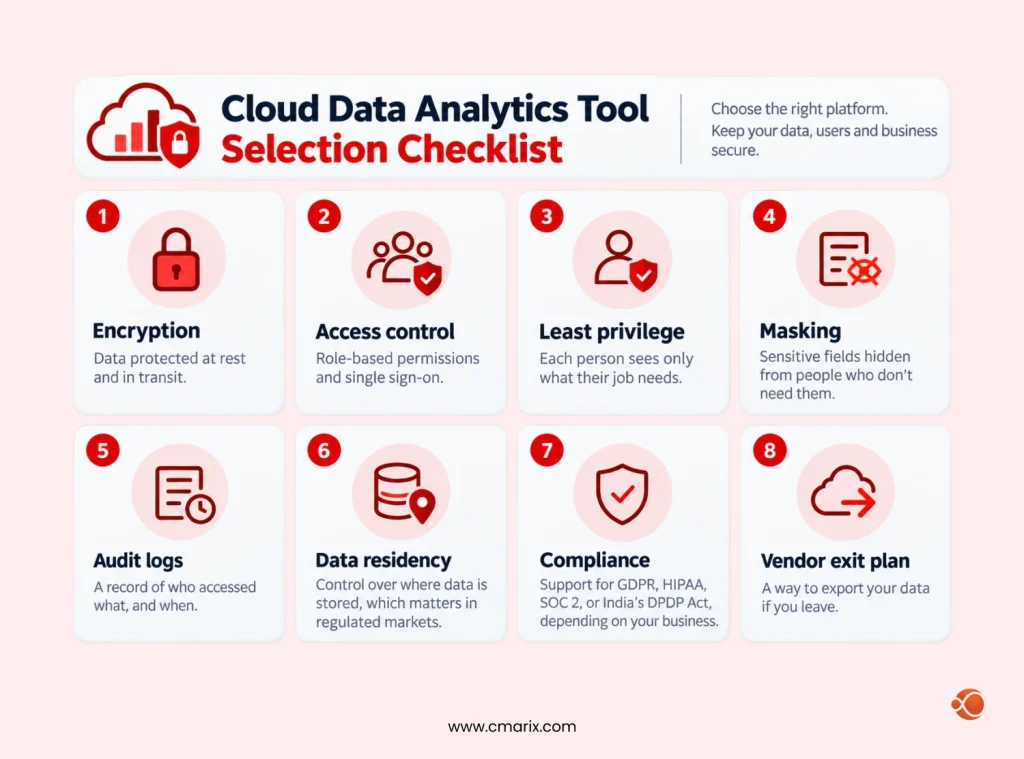
- Encryption: data protected at rest and in transit.
- Access control: role-based permissions and single sign-on.
- Least privilege: each person sees only what their job needs.
- Masking: sensitive fields hidden from people who don’t need them.
- Audit logs: a record of who accessed what, and when.
- Data residency: control over where data is stored, which matters in regulated markets.
- Compliance: support for GDPR, HIPAA, SOC 2, or India’s DPDP Act, depending on your business.
- Vendor exit plan: a way to export your data if you leave.
Privacy and trust go hand in hand. Our guide on CRM and data protection shows how to protect customer data as you scale analytics.
Free and Open-Source Data Analytics Tools
You can start without a big budget. Many strong data analysis software tools cost nothing to license.
| Programming Language | Best For | Main Limitation |
| Python | Analysis and ML | Developer time and environment setup |
| R | Statistics | Production deployment effort |
| Apache Spark | Big data processing | Cluster setup and tuning |
| KNIME | Low-code workflows | Scaling beyond desktop use |
| Jupyter | Shared notebooks | Version control and security |
| Metabase | Simple dashboards | Hosting and user management |
| Apache Superset | Open-source BI | Maintenance and upgrades |
Free software still has costs. You pay in setup, hosting, security, and support. Open source works best when you have engineers to run it. Many teams start open, then move key pieces to managed services as usage grows.
How to Pick the Right Data Analysis Tool
How do companies pick the right tool, including the right data preparation tool? They start with the problem, then the data, then the people. The product comes last.
Follow these six steps.
Step 1: Define the business question. “We want a dashboard” is vague. “We need weekly churn by segment, ready by Monday 9 a.m.” is clear. The question sets your speed, depth, and audience.
Step 2: Audit your data. List your sources, volume, formats, and quality. Note where data is messy, late, or stuck in old systems.
Step 3: Assess your team. A brilliant tool fails if nobody can use it. Match the tool to current skills, or budget for training.
Step 4: Shortlist two or three options. More than that slows you down. Compare them using the scorecard below.
Step 5: Run a pilot. Test with real data on one real use case. Measure setup time, speed, accuracy, and user feedback.
Step 6: Plan for scale and cost. Ask what happens at ten times your data. Estimate total cost, including licenses, cloud usage, training, and support.
Use this scorecard to compare your shortlist.
| Evaluation Criteria | Key Question | Priority |
| Fit with use case | Does it solve the core problem? | High |
| Scalability | Does it handle 10x data? | High |
| Ease of use | Can the current team adopt it? | High |
| Integration | Does it connect to our sources and BI tools? | High |
| Security | Does it meet our compliance needs? | High |
| AI features | Are they useful and controllable? | Medium |
| Total cost | What is the cost at scale? | Medium |
| Vendor support | How strong are support and the community? | Medium |
Build vs Buy
Should you build custom pipelines or buy a platform? Buy when the problem is common, like dashboards or warehousing. Build when the logic is unique to your business, like a proprietary scoring model. Most companies do both.
Think About Architecture Too
Tool choice ties into how you organize data. Large companies often adopt a data mesh architecture so each business domain owns its data. Not sure which model fits? Our comparison of data fabric vs. data mesh explains the trade-offs in plain terms.
Find the right tools for your data and business goals.
The Lean Data Strategy: A 90-Day Enterprise Roadmap
Big rollouts fail. Small, focused ones succeed. Here is a plan that works for most enterprise teams.
| Timeline | Focus | Key Actions |
| Days 1–30 | Assess and align | Interview teams about data pain points; map tools to six pipeline stages; select one high-value use case; define success metrics. |
| Days 31–60 | Pilot | Build a working pipeline for the selected use case; add quality tests at every stage; launch a dashboard; collect weekly feedback. |
| Days 61–90 | Prove and plan | Measure results against success metrics; document the pipeline; decide what to scale, replace, or retire; plan the next three use cases. |
Track these KPIs to prove value:
- Time to insight: how long from question to answer.
- Data downtime: hours per month that pipelines are broken or stale.
- Report adoption: how many people actually open the dashboards.
- Forecast accuracy: how close predictions land to reality.
- Cost per query or job: how efficiently the platform runs.
Common Mistakes and How to Fix Them
| Mistake | Why it hurts | Fix |
| Buying tools before defining the problem | You pay for features you never use | Start with a single clear use case |
| Ignoring data quality | Models and dashboards produce wrong results | Add automated tests early |
| Picking tools your team can’t run | Adoption stalls and shadow tools appear | Match tools to skills or fund training |
| Skipping governance | Security and compliance risks grow | Set owners, access rules, and lineage |
| Chasing real-time for everything | Costs rise with little business gain | Match speed to decision value |
| Treating the pilot as the finish line | Pilots break at scale | Plan for monitoring, support, and growth |
| Letting every team pick its own tools | Costs and definitions fragment | Set a shared core stack with room to flex |
Data Analysis Tools in Action: Four Examples
These scenarios show how the same tool types solve different problems.
- Retail. The retailer integrates sales, orders, and loyalty information from stores into one warehouse. Data analysts use SQL and a BI dashboard to monitor stock levels. The Python model predicts demand in each store. Effect: reduced understocks and overstocks.
- Banking. The bank ingests transactions using Kafka and Flink. The fraud detection model evaluates each transaction in milliseconds. Suspected transactions can be paused. Effect: fast fraud detection and fewer false positives.
- Healthcare. The hospital uses R for research and a governed data warehouse for reporting. Access restrictions secure personal data. Effect: reliable analysis complying with privacy policies.
- Logistics. A delivery company uses Spark to process GPS and traffic data at scale. Models suggest better routes each morning. Result: shorter delivery times and lower fuel use.
In each case, the winning move wasn’t a fancy product. It was matching the right data analysis tools to a clear problem.
Did you know? Most analytics failures start before the model. Teams that fix data quality first often see results faster than teams that simply buy more software.
How CMARIX Helps You Build the Right Data Analysis Stack
Choosing tools is the easy part. Connecting them into a stable, secure, scalable pipeline is harder. CMARIX works with enterprises to design, build, and run that pipeline from end to end.
Here’s how we support each stage:
- Strategy and modeling. Our data science consulting services turn raw data into working models and a clear roadmap.
- Pipelines and platforms. Our data engineering services build reliable ingestion, transformation, and storage layers.
- Production AI. Our MLOps consulting keeps models versioned, monitored, and ready to scale.
- Large-scale workloads. As a big data development company, CMARIX handles large, fast-moving datasets.

Final Thoughts
The best data analysis tools are the ones your team can run, trust, and scale. Start with a clear business question. Map your pipeline. Pilot on real data. Add quality tests and governance from day one. Then grow what works.
A strong information foundation truly matters more than any technology. With a sound approach, implementing AI becomes easy and efficient. Looking for a professional partner in your AI endeavors? CMARIX can help you out!
FAQs About Data Analysis Tools
What are data analysis tools?
Data analysis software helps you gather, clean, transform, model, and visualize data. This makes the work easier for team members to detect trends and make informed decisions. Examples include Python, SQL warehouses, Apache Spark, Power BI, and Tableau. These tools can be used for single tasks or multitasking.
How do modern data analytics platforms benefit business pipelines?
These platforms help integrate data sources, automate data preparation, and make data accessible faster. Employees spend less time cleaning data and more time analyzing it. Automated pipeline monitoring helps detect faulty pipelines immediately. In addition, having a common language prevents teams from presenting inconsistent numbers.
What is the role of database analytics software?
Analysis happens on the platform where the database resides. This reduces data transfer, speeds up queries, and reduces risk. Examples of such cloud-based systems include Snowflake and BigQuery. These allow multiple analysts to query huge tables simultaneously while ensuring security and control.
Why should enterprise teams run a real-time data analytics tools comparison?
Because real-time requirements and costs vary widely. A comparison will identify which tool meets your latency, volume, and budget constraints. This will also show where batch processing is sufficient. It helps you avoid unnecessary streaming costs.
How does AI enhance traditional analytical tools?
AI automates data preparation, answers plain-language questions, flags anomalies, and forecasts trends. It also drafts SQL and Python. Analysts still need to validate results because AI can misread data. Pair AI features with clear metric definitions and governance for reliable output.
What makes Python a top choice among data analysis software tools?
Python is open source, easy to understand, and supported by a huge array of libraries. You don’t need different languages for cleaning, statistical analysis, machine learning, and automation. Python works with almost any cloud service and database available on the market today.
What features define high-performance big data analytics tools?
Look for distributed processing, fast query capabilities, and fault tolerance. Scalability and strong connectors matter, too. Also look for security features, cost tracking, and the ability to handle both batch and streaming processes. Always test with your data first.
Can cloud data analytics tools maintain strict enterprise security?
Yes, when configured correctly. Leading platforms provide encryption, access control, audit logs, and compliance support. You still own your settings, user permissions, and data classification. Review residency options, test access rules, and plan a vendor exit path before you sign.
How do companies pick the right data preparation tool?
They match the tool to data volume, source types, and team skills. Analysts without coding skills may prefer KNIME or Alteryx. Engineers often choose dbt, Spark, or Python. A pilot on real, messy data is the best test. It shows speed, accuracy, and how easily others can maintain the work.
What are some good free or open-source data analytics tools?
Python, R, Apache Spark, KNIME, Jupyter, Metabase, and Apache Superset are popular choices. They cost nothing to license. You still need people to install, secure, and maintain them. Many teams begin with open-source tools and add managed services as demand grows.