Quick Summary: Application software is any program developed to help people get specific work done, instead of the computer itself. This blog covers the difference between application and system software, takes you through 13 core types with real product examples, and breaks down what a custom application actually costs to build in 2026. It also includes where AI and low-code tools are pushing the category next.
Every tool you touch on a screen falls into one of two buckets: software that runs the machine, or software that helps you get something done on top of it. That second bucket, application software, is bigger and more varied than most people realize. It includes everything from the word processor you’re typing in right now to the point-of-sale system running a coffee shop’s checkout line.
The confusion usually starts when people try to draw a clean line between “an app,” “a program,” and “software.” They’re mostly the same computer software applications described in three different ways. What actually matters is understanding how the common application software types get classified, what separates them from the system running underneath, and what it costs to build one custom instead of buying something off the shelf.
What Is Application Software? A Simple Definition
Application software is a computer program built to carry out end-user tasks for a person or business, rather than a job for the computer itself. Also, people call it end-user software or productivity software, because it’s a layer you interact with directly: writing a document, sending a message, editing a photo, sending a message, tracking a budget.
Working with a reliable mobile app development company matters once off-the-shelf application software stops fitting the job. These teams bring the technical depth to build applications that match your actual requirements, instead of asking your workflow to bend around someone else’s software.
Common examples span office suites, media players, security tools, and every app installed on your phone. All of it runs on top of system software, which is the layer actually operating the hardware underneath. For the bigger picture of where application software fits among the types of software a business runs on, that breakdown is worth a look on its own.
Application Software vs System Software: What’s the Difference
System software runs the computer. It covers the operating system, device drivers, and the utility programs that manage memory, storage, and hardware communication. Windows, macOS, Linux, and Android are all system software, and none of them are things you use directly to get work done.
Application software is on top of system software and does the work you actually care about: writing, browsing, communicating, and editing. That operating system interaction is one-directional in practice: the operating system loads the app, hands it memory, and gets out of the way. If system software crashes, everything running on top of it goes down too. If one application crashes, the operating system and everything else usually keeps running.
Within application software itself, general-purpose software (a word processor or spreadsheet, useful to almost anyone) versus specialized software built for one function or industry, like medical billing or CAD tools for engineers.
Here’s the split at a glance:
| Aspect | Application Software | System Software |
| Purpose | Performs end-user tasks such as writing, browsing, and editing | Runs and manages the computer’s hardware |
| Runs on | Runs on top of system software | Runs directly on the hardware |
| Who interacts with it | End users interact with it directly | Mostly invisible to end users |
| Examples | Microsoft Word, Google Chrome, Photoshop, Slack | Windows, macOS, Linux, device drivers |
| If it crashes | The rest of the system usually keeps running | Applications depending on it may stop working |
| Installed by | Users install it as needed | Usually pre-installed or set up with the device |
7 Key Functions of Application Software
The function of application software covers a wide range of software functionality aimed at specific tasks and better user experiences. Here are the 7 most common:
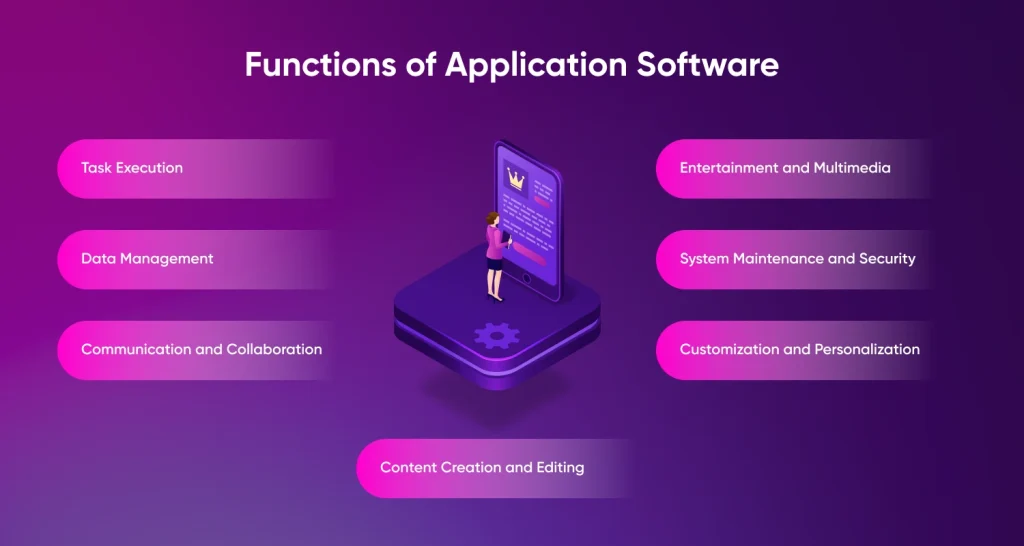
- Task Execution: Application software runs specific tasks effectively, allowing users to perform word processing, graphic design, data analysis, video editing, accounting, and more, depending on what the software is built for.
- Data Management: Application software allows users to manage and manipulate data effectively. It provides features for creating, storing, retrieving, organizing, and analyzing data, ensuring data integrity and accessibility.
- Communication and Collaboration: Email clients, messaging apps, video conferencing tools, and project management software all fall under application software, enabling real-time interaction and information sharing across teams.
- Content Creation and Editing: Application software supports creating and editing documents, presentations, spreadsheets, images, videos, and audio, usually with built-in tools for formatting, enhancing, and publishing that content.
- Entertainment and Multimedia: Multimedia players, gaming applications, and software for creating music, graphics, and videos fall under this category.
- System Maintenance and Security: Antivirus programs, disk cleanup utilities, and backup software help users keep their systems secure and running well.
- Customization and Personalization: Application software lets users adjust interfaces, settings, and preferences, and often supports third-party plugins or extensions to extend what it does.
13 Core Types of Application Software Explained
Here’s the full list at a glance before we get into each one:
| Type | What It Does | Real-World Examples |
| Word Processing | Creates, formats, and edits text documents | Microsoft Word, Google Docs, Apple Pages |
| Spreadsheet | Organizes data in tables and performs calculations | Microsoft Excel, Google Sheets, Apple Numbers |
| Presentation | Creates slide-based visual presentations | Microsoft PowerPoint, Google Slides, Canva |
| Database | Stores, organizes, and retrieves structured data | MySQL, Microsoft Access, MongoDB |
| Multimedia | Creates and edits video, audio, and image files | VLC Media Player, Adobe Premiere Pro, Audacity |
| Web Browser | Accesses and navigates the internet | Google Chrome, Mozilla Firefox, Safari |
| Educational | Supports learning, teaching, and academic activities | Duolingo, Rosetta Stone, LMS platforms |
| Graphics | Creates and edits images, illustrations, animations, and other visual content | Adobe Photoshop, Figma, Blender |
| Freeware | Software available for free use, but its source code cannot be modified | Skype, Discord |
| Shareware | Software offered as a free trial, with payment usually required for continued or full use | WinZip |
| Simulation | Models real-world systems or processes for testing, analysis, or training | MATLAB |
| Open Source | Software whose source code is available for users to inspect, modify, and share | Linux, Apache HTTP Server, LibreOffice |
| Closed Source | Proprietary software whose source code is restricted and cannot normally be modified by users | Microsoft Office, Adobe Creative Cloud |
A closer look at each:
Word Processing Software
Lets users format, edit, and polish text, with spell-check, grammar tools, and font and style customization. Real-world examples: Microsoft Word, Google Docs, Apple Pages.
Spreadsheet Software
Stores data in table format and runs calculations, data analysis, and formulas. Real-world examples: Google Sheets, Microsoft Excel, and Apple Numbers.
Presentation Software
Builds slide-based visual presentations with text, images, charts, and video. Real-world examples: Microsoft PowerPoint, Google Slides, Apple Keynote, Canva.
Database Software
Storage and management of structured data; it is the core component that powers most company applications you never interact with directly. Examples include: Microsoft Access, MySQL, Oracle Database, MongoDB.
Multimedia Software
Creates and edits video, audio, and image files. Used in editing, graphics, and animation work. Real-world examples: VLC Media Player, Adobe Premiere Pro, Audacity.
Web Browsers
Accesses and navigates the internet, letting users search, retrieve, and view information from websites. Real-world examples: Google Chrome, Mozilla Firefox, Safari.
Educational Software
Supports learning and academic activities through tutorials and interactive tools. In this case, custom software development services can help in building personalized, subject-specific tools for education providers that generic platforms don’t cover. Real-world examples: Duolingo, Rosetta Stone, etc.
Graphics Software
Manipulates and edits visual data, images, and animations, including 3D modeling. Real-world examples: Adobe Photoshop, Figma, Blender.
Freeware
Free to download and use, but the source code can’t be modified. Real-world examples: Skype, Discord.
Shareware
Trial-based distribution; payment is required if the user wants to continue usage beyond the trial period. Example: WinZip.
Simulation Software
Allows users to observe and analyze operations without physically performing them, common in robotics, engineering, and flight training. Real-world example: MATLAB.
Open Source
Provides users access to the source code so they can inspect, modify, and improve the software, often for free. Real-world examples: Apache HTTP Server, Linux, LibreOffice.
Closed Source
Proprietary, paid software with restrictions on modifying the source code, usually governed by its own licensing terms. Real-world examples: Microsoft Office, Adobe Creative Cloud.
Advantages and Disadvantages of Application Software
No category of software is free of trade-offs, and application software is no exception. Here’s the balance at a glance:
| Category | Advantage | Disadvantage |
| Efficiency | Purpose-built tools significantly reduce task time compared to manual processes | Learning a new tool takes time upfront |
| Cost | Off-the-shelf pricing often scales with team size, making it affordable for small teams | Licensing and subscription fees can add up quickly as the team grows |
| Specialization | Industry-specific software handles specialized needs and edge cases that generic tools may miss | Specialized tools often cost more and have smaller support communities |
| Security | Regular updates automatically patch vulnerabilities in most software | Every application adds another entry point that needs to be monitored |
| Maintenance | Cloud-based applications update automatically without requiring user effort | Software that isn’t actively maintained can quickly become outdated |
Advantages
- Task efficiency: Purpose-built software does one job well, cutting down the time a manual process would otherwise take.
- Specialization: Software built for a specific industry or workflow handles edge cases that generic tools tend to miss.
- Accessibility: Most application software today runs across desktop, mobile, and browser, so people can work from wherever they are.
- Continuous improvement: Regular updates add features and fix issues without requiring users to buy a new version.
Disadvantages
- Licensing and subscription costs: Enterprise-level software applications usually incur periodic costs that accumulate as more people join the company.
- Compatibility gaps: Programs designed to be used on a particular operating system or type of hardware do not always work properly on another.
- Security exposure: Each application that’s added represents another point of exposure that requires patching, monitoring, and access control.
- Update dependency: Software that isn’t actively maintained falls behind on security fixes and new features fast.
Popular Business Application Software to Increase Efficiency
Business application software plays a direct role in how efficiently an organization runs, and it’s become a staple for companies at every stage of growth. Some of the most common categories:
- Customer Relationship Management: Manages current and potential customer interactions, helping businesses collect and act on customer data.
- Enterprise Resource Planning (ERP): Automation of various organizational processes such as accounting, procurement, risk management, and supply chain management.
- Project Management Software: Covers planning, scheduling, resource allocation, budget tracking, and reporting for teams running multiple projects.
- Database Software: Enables the creation, storage, retrieval, and extraction of an organization’s data (see the Database Software type above).
- Business Process Management (BPM) Software: Automates and reports the processes of the business.
- Resource Management Software: Helps businesses plan and allocate capital, staff, and equipment across multiple projects in real time.
- Custom-Developed Software: Built around the specific needs of one organization instead of a generic use case. Hire a full-stack developer to create custom software that meets your organization’s requirements.
Most of these enterprise software solutions get built using an iterative process rather than one big launch. Picking the right software development methodologies, whether that’s Agile, waterfall, or a hybrid of both, affects timeline and cost as much as the tech stack does.
Tell us the gaps and we’ll scope a fix that fits.
Signs Your Business Needs Custom Application Software
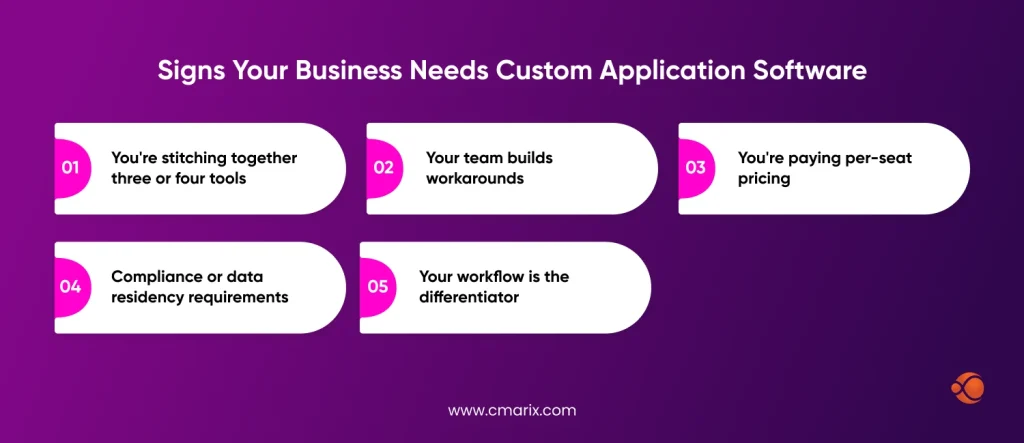
Off-the-shelf application software works fine until it doesn’t. A few signs it’s time to look at a custom build instead:
- You’re stitching together three or four tools to do one job that a single custom application could handle on its own.
- Your team builds workarounds for features the software doesn’t support, and those workarounds break every time there’s an update.
- You’re paying per-seat pricing that scales faster than your team does, on features half your team never uses.
- Compliance or data residency requirements rule out storing information in a shared, multi-tenant SaaS environment.
- Your workflow is the differentiator, and running it on the same software as every competitor erases that advantage.
Cost to Develop Custom Application Software
Pricing figures for Clutch’s 2026 report, based on actual verified project reviews, reveal an average price point of $132,480 for a typical custom software development project, completed within approximately 13 months. The position of any particular project in that spectrum is determined by:
| Tier | Cost Range | Typical Timeline | Best For |
| MVP / Single-Function Tool | $25,000 – $80,000 | 2–4 months | Validating one workflow or building a startup’s first product |
| Mid-Market Application | $80,000 – $250,000 | 4–8 months | Multiple integrations and several user roles |
| Enterprise-Grade Platform | $250,000+ | 8–14 months | Complex workflows, compliance requirements, and high user volume |
If you’re scoping that first tier specifically, our custom MVP software development service and our dedicated MVP development cost guide both break that budget down in more detail.
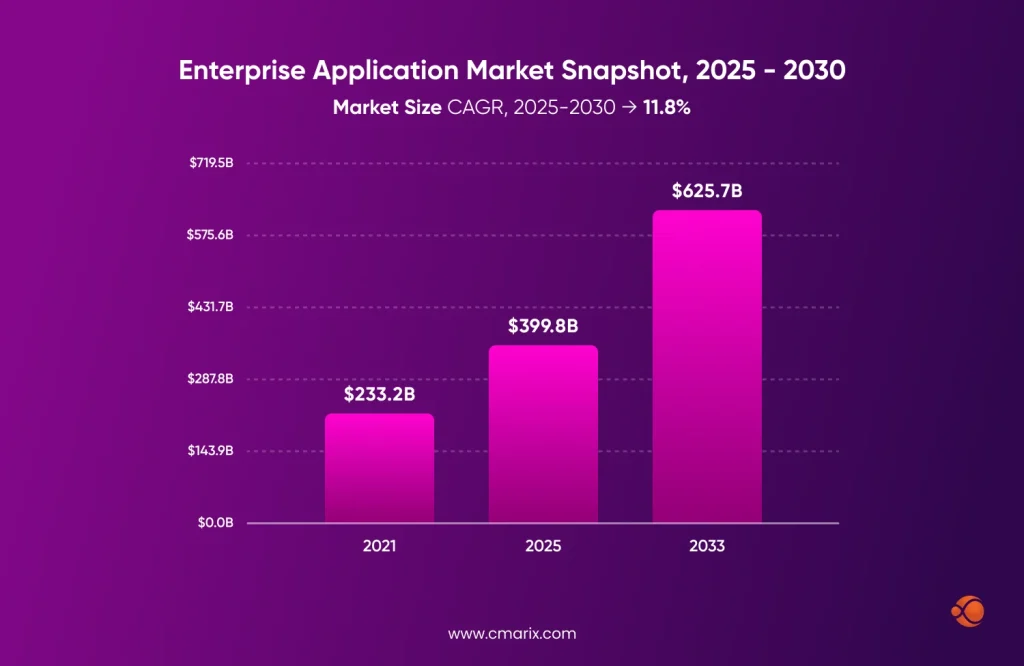
Demand for the higher end of that range keeps growing. Grand View Research values the global enterprise application market at $320.4 billion in 2024, projected to reach $625.66 billion by 2030 at an 11.8% annual growth rate. That growth reflects more businesses deciding a generic tool can’t keep up with how specific their workflows have become, and choosing to build instead. Not every situation calls for a custom build, either. If you’re weighing custom software development vs SaaS, the short version is that off-the-shelf SaaS works fine for standard, non-differentiating functions, while custom development pays off once your workflow gets specific enough that generic tools start working against you.
Send over your requirements and get a scoped estimate back within days.
Future Trends in Application Software
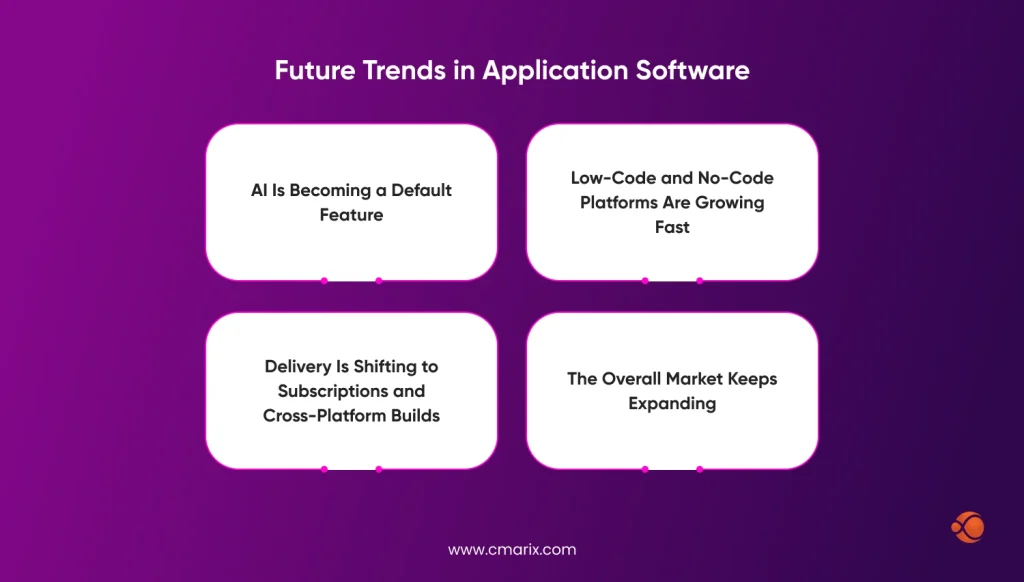
AI Is Becoming a Default Feature
AI was once seen as a luxury. Today, however, it is an expectation. A study conducted by McKinsey in 2026 titled “State of AI” revealed that almost nine out of ten organizations use AI routinely for at least one business process. Also, 44% say that AI has been scaled across the organization, compared to 38% last year. It changes the definition of good application software. Intelligent searches, automatic drafting, predictive suggestions – all are becoming must-have features.
Low-Code and No-Code Platforms Are Growing Fast
Not every build needs a full development team anymore. Low-code and no-code platforms let businesses assemble simpler, internal-facing tools in days instead of months. The numbers back up how fast this is moving. This doesn’t replace custom development for complex or high-stakes systems. It just means the simple stuff gets built faster and cheaper than it used to.
Delivery Is Shifting to Subscriptions and Cross-Platform Builds
Buying a license once and installing it locally is mostly gone. Subscription-based, cloud-hosted application software is the default now, which means lower upfront cost but a bill that never really ends. Cross-platform frameworks are closing the other gap. A single codebase increasingly covers web-based applications, mobile apps, and desktop software at once, instead of requiring three separate builds.
The Overall Market Keeps Expanding
But zoom out, and the picture is quite expansive. According to Grand View Research, the global software market will reach $913.8 billion by 2026 and $1.4 trillion by 2030. Of that, application software alone takes up more than 44%. That scale is exactly why “buy generic or build custom” keeps coming up as a real business decision, not a hypothetical one.
Develop Your Application Software with CMARIX
When your requirements outgrow what off-the-shelf application software can do, CMARIX builds the custom version instead. For Nest Bank, CMARIX delivered the web application, mobile apps, and a central admin portal that manages every other Nest Bank product from one place, giving the business a single point of control instead of several disconnected tools.
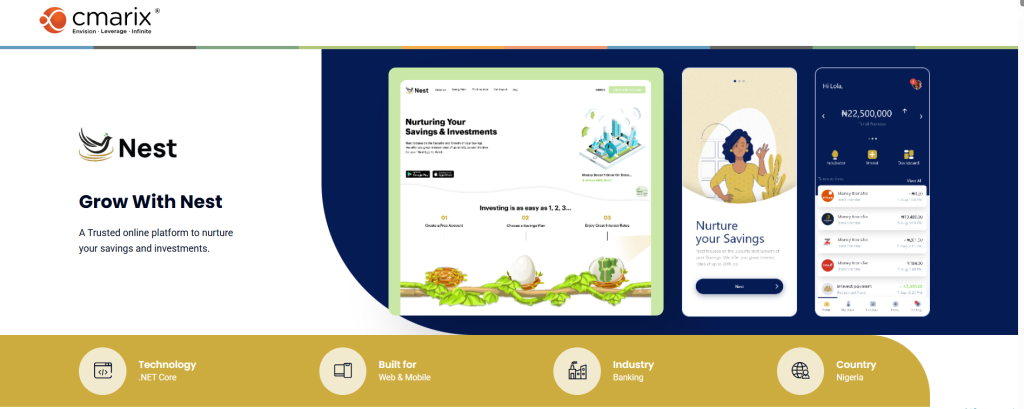
CMARIX handles requirements gathering, architecture, and delivery so the software fits how your business actually works, not the other way around. That process starts with understanding the workflow you’re actually trying to support, not just the feature list you walked in with, which is usually where off-the-shelf tools fall short in the first place.
Conclusion
Application software is the layer at which all the action takes place, and getting the right kind is much more critical than most development groups understand until it is too late. Word processors and ERP systems are both examples of application software, but the process involved in selecting, developing, or changing either can differ radically, depending on the circumstances.
What you should remember: Off-the-shelf products do a great job for the common case, and they do a terrible job for the special case. The instant your process is being tailored to work in a particular product rather than vice versa is when custom becomes financially compelling, not simply nice to have. Whether you are talking about a narrowly focused MVP or an entire corporate suite, the costs are proportional to how special your needs really are.
If you’re still deciding where your team lands on that spectrum, the FAQs below cover the most common questions.
FAQs for Application Software
What is application software?
Application software is a computer program that is designed to perform a particular task for an end user, such as writing, editing, browsing, or communicating. It runs on top of system software and relies on the operating system to function.
What is the primary function of application software?
Its primary function is to help users complete a specific task, whether that’s creating a document, managing data, or communicating with others. Unlike system software, it doesn’t manage the computer’s hardware directly.
Can you give 5 common examples of application software?
Microsoft Word, Google Chrome, Spotify, Zoom, and Trello are all everyday examples. Each is built to handle one category of task, from writing to browsing to video calls.
Is a web browser like Google Chrome considered application software?
Yes, a web browser is application software because it is used to perform a certain task by an end user, browsing websites, which makes it different from system software.
How is application software used in a business environment?
Application software is used by business firms to carry out their activities on a day-to-day basis: CRM for handling customer affairs, ERP software for managing essential processes, and project management software for monitoring tasks performed by groups. Most firms have a combination of ready-made and tailor-made application software programs.
Can a computer run without application software?
Yes. A computer can start up and run using only its system software, but it won’t be able to do anything useful for the end user. Application software is what turns a working computer into a tool for a specific task.
How do you install application software?
Application software can be installed either from an app store, an installer file download, or web applications installed via a browser. Sometimes business software or enterprise software needs to be deployed by the IT department on several computers or servers.
Is mobile app software different from desktop applications?
Both belong to the category of application software but have different characteristics. The former has features such as offline capability since mobile applications require touch and small screen size, whereas the latter is optimized for keyboard and mouse usage and more powerful features on a per-screen basis.
What is shareware versus freeware application software?
Freeware can be used forever, but modifications cannot be made to the source code. Shareware is provided on a trial basis, and if the user decides to continue using the software past the trial period, they have to pay for it.
How do I choose the right application software?
Begin by making sure you understand what task your software will have to perform, then start comparing various options with respect to their features, cost, and compatibility with the current system infrastructure. Choose software that is scalable, easy to learn, and provides some kind of customer support in case you run into trouble. Taking the time to request a demo would be a good idea.