Quick Summary: Every business runs on some combination of system and application software, even if no one on the team thinks about it that way. This guide breaks down the types of software and how each one fits into a real business, and walks through how to figure out what your company actually needs before you spend money building or buying anything. You’ll also find current cost ranges, the signs that signal it’s time for new software, and where AI is starting to change the categories themselves.
Most businesses run on more software than they realize. A retail company might use one tool for inventory, another for payroll, a third for customer support, and an operating system underneath all of it just to keep the lights on. None of these tools does the same job, and mixing them up usually leads to the wrong purchase decision.
The confusion gets worse once you start comparing options. Off-the-shelf or custom, cloud or on-premise, open-source or proprietary, every choice branches into more choices. Understanding the actual types of software first makes every decision afterward much easier, whether you’re picking a tool off the shelf or working with a custom software development team to build one from scratch.
What Is Computer Software? Categories of Software Explained
Software is a set of instructions, data, or programs that tell a device or computer what to do. It’s the part you interact with, not the physical machine underneath it. Operating systems, browsers, office suites, design tools, and the apps on your phone are all software, just built for different purposes.
Broadly, software falls into two buckets: system software, which runs the device itself, and application software, which helps people get specific work done. Everything else, including programming software and utility software, sits inside one of these two categories.
Types of Software: System Software vs Application Software
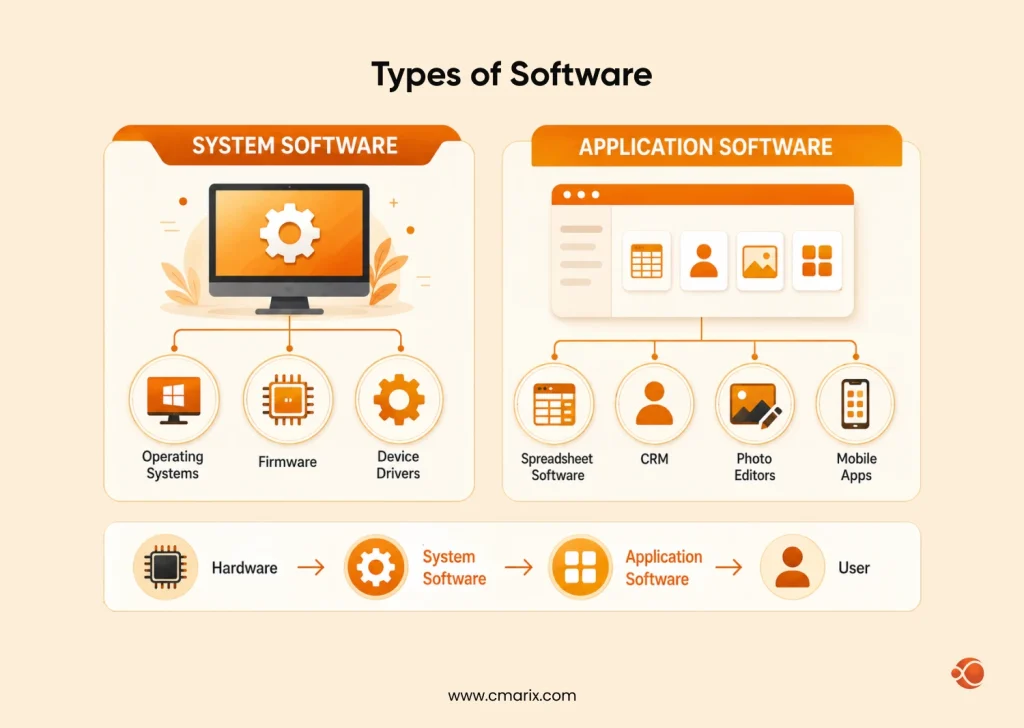
System software is what keeps a computer or device functioning at the most basic level. It manages hardware, memory, storage, and the connection between physical components and everything running on top of them. Operating systems, firmware, and device drivers all fall here.
Application software, on the other hand, is built for the end user. It’s the layer people actually open and work in, whether that’s a spreadsheet, a CRM, a photo editor, or a mobile app. The line between the two is well established in formal standards, too. The ISO/IEC/IEEE 12207:2026 standard on software life cycle processes treats system-level and application-level software as distinct categories with different engineering and maintenance requirements, which is part of why businesses budget and support them differently.
System Software vs Application Software: Key Differences
| Factor | System Software | Application Software |
| Purpose | Runs and manages hardware | Performs user tasks |
| Examples | Windows, macOS, Linux, Drivers | Word, Excel, Slack, Apps |
| Users | System & software processes | End users |
| Hardware Dependency | Hardware-specific | Less hardware-dependent |
| Visibility | Background operation | Direct user interaction |
A quick note on middleware: it doesn’t fit neatly into either column. Middleware sits between system software and application software, handling communication between different applications or between an application and a database. Think of it as the connective tissue that lets otherwise separate systems talk to each other.
How to Know If Your Software Development Business Needs New Software
Not every business needs to replace its tools every year, but certain signs are hard to ignore once you notice them.
- Manual work is piling up – if your team is copying data between spreadsheets or re-entering the same information in multiple tools, that’s time and accuracy you’re losing every week.
- Your tools don’t talk to each other – disconnected systems mean someone has to manually bridge the gap, and that gap usually grows as the business grows.
- Security gaps are showing up – outdated software, especially anything past its support lifecycle, becomes an easier target over time.
- You’re hitting a scaling wall – software that worked fine for 10 employees or 1,000 customers can fall apart at 10x that volume.
- Customers are noticing the friction – slow checkout, clunky booking flows, or a dated app experience are signs your software is costing you business, not just convenience.
These signs tend to show up differently depending on company size. A 15-person startup and a 500-person enterprise will hit the same wall in very different ways, which is worth understanding before you assume you know what kind of fix you need. If you’re still unsure, it’s worth consulting an experienced software development provider to assess your requirements and recommend the most suitable approach.
How to Choose the Right Type of Software for Your Business in 6 Steps
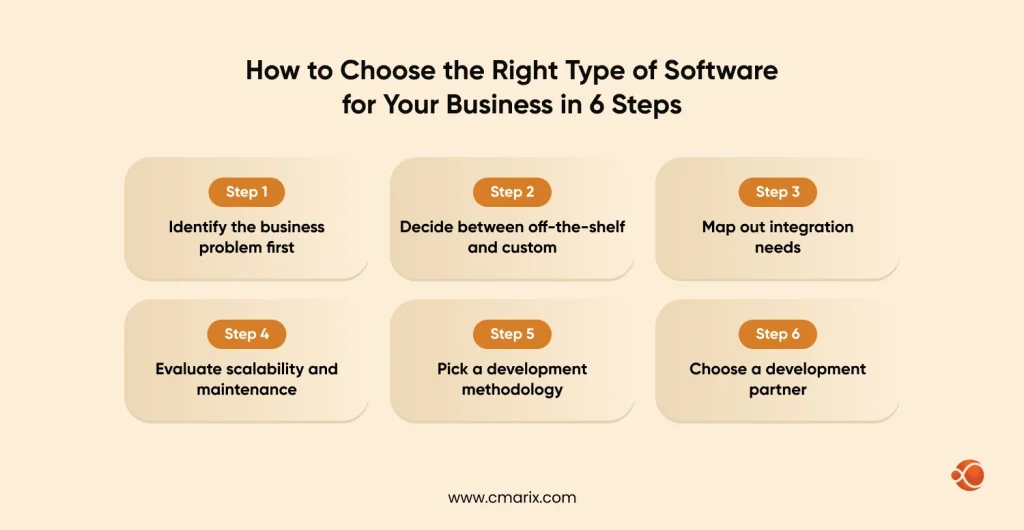
- Identify the business problem first. Don’t start with “what software should we buy?” Start with what’s actually broken or slow, and let that shape the search.
- Decide between off-the-shelf and custom. Pre-built tools are faster and cheaper upfront, but they rarely fit a business perfectly. This is usually the point where it’s worth weighing custom software development against SaaS directly, since the right answer depends on how specific your workflow really is.
- Map out integration needs. Whatever you choose has to work with what you already have, from your CRM to your accounting software to your internal databases.
- Evaluate scalability and maintenance. Software that fits today but can’t grow with you just becomes next year’s problem. This is also where it helps to understand the difference between enterprise and regular software development, since enterprise-scale needs change what “scalable” even means.
- Pick a development methodology if you’re building custom. Agile, waterfall, and hybrid approaches all affect timeline, cost, and how much flexibility you have mid-project. It’s worth understanding the common software development methodologies before committing to one.
- Choose a development partner. Whether you need enterprise app development or a focused custom build, the right partner matters as much as the right technology.

Types of Application Software With Examples
| Type | Examples | Use Case |
| Utility Software | Antivirus, Disk Cleanup | System maintenance & security |
| Programming Software | Compilers, Code Editors | Software development |
| Database Software | MySQL, PostgreSQL | Data storage & management |
| Multimedia Software | Photoshop, Premiere Pro | Media editing & playback |
| Word Processors | Word, Google Docs | Document creation |
| SaaS | Salesforce, HubSpot, Slack | Cloud-based productivity |
| Software Suites | Microsoft 365, Adobe Creative Cloud | Integrated tool collections |
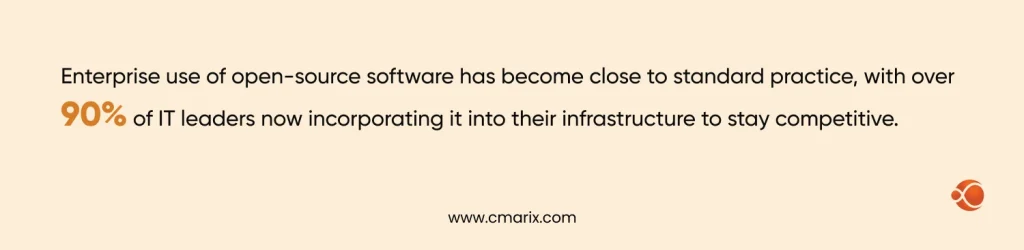
Open-source and proprietary software are less about function and more about how the software is built and licensed. Open-source code is openly available for anyone to review, modify, or build on, which is part of why adoption has grown so fast. Enterprise use of open-source software has become close to standard practice, with over 90% of IT leaders now incorporating it into their infrastructure to stay competitive. Proprietary software, by contrast, keeps its source code closed and is controlled entirely by the company that owns it.
Types of System Software: Firmware, Device Drivers, and More
| Type | What It Does | Examples |
| Operating Systems | Manages hardware and system resources | Windows, macOS, Linux |
| Firmware | Embedded instructions stored on hardware | BIOS, Router Firmware |
| Device Drivers | Connects hardware with the operating system | Printer Drivers, Graphics Drivers |
| Language Processors | Converts code into machine-readable instructions | Compilers, Interpreters, Assemblers |
Talk to our team about your project, no obligation, just a clear next step.
AI vs Traditional Software: What’s Changing in Software Categories
The old system-versus-application split still holds, but artificial intelligence is starting to blur the edges within each category. Traditional software follows fixed rules: you write the logic, and the program executes exactly what you told it to. AI-powered software learns from data and adjusts its behavior over the period of time, which changes how it’s built, tested, and maintained.
This matters the most in custom development. A traditional inventory tool just tracks stock levels. An AI-assisted version might predict stockouts before they happen. Companies are comparing AI vs traditional software for a new build, and need to weigh not just cost, but also data requirements, continuous model maintenance, and whether the use case genuinely benefits from AI or just sounds better with it attached.
How Much Does Custom Software Development Cost?
Cost changes widely based on platform, complexity, and whether you’re developing custom or customizing an existing product.
Note: The ranges below are usual estimates for budgeting purposes, not fixed quotes, and should be confirmed against your particular project scope.
| Software Type | Estimated Cost Range | Key Cost Drivers |
| Basic Utility / Internal Tool | $5K – $20K | Scope, Integrations |
| Business Application | $20K – $80K | Features, Platforms, Integrations |
| Enterprise Software | $80K – $300K+ | Complexity, Compliance, Scale |
| AI-Powered Application | $50K – $250K+ | Data, Models, Ongoing Optimization |
Beyond the build itself, maintenance and support typically run 15-20% of the original development cost per year, which is worth factoring in from the start rather than treating it as a surprise later. If you are also planning to scale your engineering capabilities, then understanding the cost of building a software development team will help you in estimating your overall investment budget.
Get a clearer estimate based on your actual requirements.
Future Trends Impacting Software Development
- AI-native applications built around machine learning from day one, not bolted on after launch
- Faster internal tool development with low-code and no-code platforms
- Cloud-native is the standard approach rather than an anomaly
- Building security by design, not security by add-on
- API-first development, making integration a starting requirement rather than an afterthought
Why Choose CMARIX Software Development
Picking the right type of software is only half the challenge. Building or implementing it well is the other half. CMARIX works across enterprise app development, web-based application development, and custom software builds, with teams that have handled everything from simple utility tools to full AI-integrated platforms. Whether you’re choosing between off-the-shelf and custom, or you already know you need something built from the ground up, our team can help you scope it properly before any code gets written.
Conclusion
Software isn’t one thing; it’s a layered system of categories that each solve a different problem. Knowing the difference between system and application software, understanding where your current tools are falling short, and budgeting realistically for what comes next puts you in a much stronger position than guessing your way into a purchase. If you’re at the point of actually building something, hire dedicated software developers who can help you get it right the first time.
FAQs on Types of Software
What are the main types of software?
The two main types are system software, which runs the device itself, and application software, which helps users complete particular tasks. Programming software and utility software are often grouped as supporting categories within those two.
What is system software, and what are some examples?
System software manages a computer’s hardware and provides the foundation on which other programs run. OS like macOS and Windows, device drivers, and firmware are all common examples.
How does application software differ from system software?
Application software is built for end users to finish tasks like managing customer data or writing documents, while system software runs in the background to keep the device itself functioning. Most users interact directly with application software and rarely see system software at all.
What is the role of programming software?
Programming software gives developers the tools to write, test, and debug code, including compilers, code editors, and debugging tools. Without it, neither system nor application software could be built in the first place.
Why is utility software necessary?
Utility software is necessary to keep a computer system running smoothly by handling tasks like file compression, antivirus protection, and disk cleanup. It supports the operating system rather than performing end-user tasks directly.
What is the difference between open-source and proprietary software?
Open-source software’s source code is publicly available for anyone to view, modify, or build on, while proprietary software keeps its code closed and controlled by the company that owns it. Enterprise adoption of open-source has grown significantly, with most IT leaders now incorporating it into their infrastructure.