AutoCAD is one of the most popular Computer-Aided Design software apps. It has been one of the industry standards for engineering, architectural, and also construction professionals for several years. Also, AutoCAD is evolving, automating and customizing tasks to help many professionals. Also, you will be surprised to know that AutoCAD has a market share of around 38.88%. Also, more than 268,579 companies are utilizing CAD software tools.
Hence, in this blog, let’s try to explore to leverage AutoCAD API development using .NET, for several important tasks.
What Is AutoCAD?
AutoCAD – the computer-aided design software developed by the company Autodesk. With this software, you can easily draw and edit all your 2D and 3D designs really fast and easily than doing by hand. Also, you can easily save and store the files in the cloud. So, you can easily access them anytime and anywhere.
Now, it has become a standard program in the fields of architecture, engineering, design industries, and drafting. Also, professionals can use it to create drafts as well as blueprints. With the help of this software, users can reduce the number of errors that may happen while designing manually.
Autodesk also offers an API or Application Programming Interface that increases the utility of AutoCAD. With this, the hire ASP.NET developers can automate tasks as well as create custom functionality within AutoCAD.
How to AutoCAD API development Using .NET?
AutoCAD API enables developers to interact with, automate, and customize the AutoCAD software. It usually offers interfaces and hooks for developers. Thus, they can modify or add the default behavior of AutoCAD. Hence, with AutoCAD API development, you can easily optimize your workflows.
AutoCAD API and .NET
AutoCAD can offer a robust API with which developers can easily interact with the core functionality of AutoCAD. Moreover, with the AutoCAD.NET API, you can automate tasks like creating and modifying objects that are stored in the database of your drawing file. Thus, AutoCAD API development using .NET is especially robust and can offer extensive capabilities for developers to extend the functionality of AutoCAD.
Why Use .NET for AutoCAD Customization?
One of the most important programming languages that this AutoCAD API can support is .NET. .NET is so popular nowadays because of the support for both VB.NET and C#. Hence, the environment of .NET can offer a rich set of libraries with which professionals can enjoy easier AutoCAD API development.
Moreover, the .NET framework can offer a powerful set of tools for building applications. Also, when professional use .NET with AutoCAD, it allows them to create some sophisticated extensions and plugins. Hence, many companies are now trying to hire ASP.NET developers or trusting ASP.NET development services, to create powerful enterprise applications. Also, they trust that AutoCAD customization using .NET can offer several interesting benefits.
What are the Important Advantages of Using .NET with AutoCAD?
Developers can enjoy various types of benefits by using .NET with AutoCAD. For example,
- Object-Oriented Programming: Nowadays, several .NET languages follow object-oriented principles. Thus, professionals can easily write scalable as well as maintainable code.
- Rich Library: With .NET, professionals can access a wealth of libraries as well as frameworks. With these interesting features, your development procedure will be quite faster and easier.
- Compatibility: The AutoCAD Web APIs can easily work seamlessly with .NET. Thus, it is one of the most effective options for extending the functionalities of AutoCAD.

Getting Started with AutoCAD API and .NET
ASP.NET API of AutoCAD is a part of the larger set of APIs from Autodesk. To start working with AutoCAD API integration you need to have a good understanding of all the programming principles of .NET and the object model of AutoCAD.
- Installation and Setup: Before jumping into the code, you have to properly set up your development environment. You can do this with the right version of the .NET framework and AutoCAD. In addition, you can reference the AutoCAD .NET assemblies in your development project. This will help you to properly access the AutoCAD API.
- Understanding the Basics: Now, you need to clearly understand the basics as well as familiarize yourself with some vital concepts. For example:
- Transaction Manager: This usually handles the database transactions. Hence, it can easily ensure data integrity.
- Document Manager: It helps by managing the various documents that you open in AutoCAD.
- Database Services: These services help in the management of the drawing data.
Developing with AutoCAD API: A Stepwise Guide
Now, let us go through the step-by-step procedure of developing AutoCAD with API.
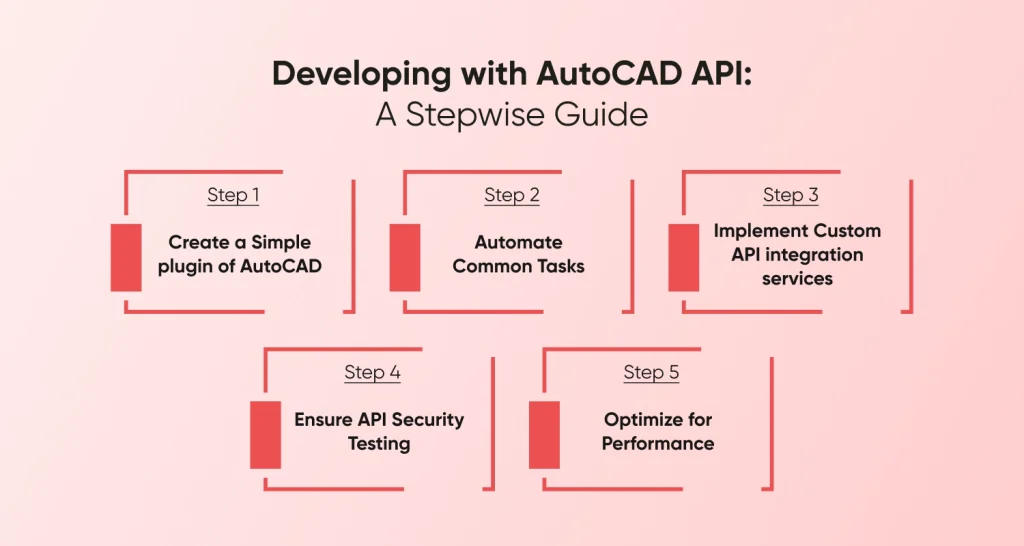
Step 1: Create a Simple plugin for AutoCAD
You can start with the basic task. For example, you can develop some simple plugin, that can easily draw a line or a circle in AutoCAD. This is known as AutoCAD plugin development. This will introduce you to the useful AutoCAD API functions as well as how to use them in your important .NET applications.
Step 2: Automate Common Tasks
In this step, you must explore the right method to automate all those boring and repetitive tasks in AutoCAD. For example, annotations, drawing, or even layer management. In fact, automation has the ability to significantly enhance accuracy and efficiency in the entire procedure of designing.
Step 3: Implement Custom API integration services
Now, you will feel that your confidence is gradually growing. So, in this part, you can start to implement some more complex functionalities, like custom API integration services. With this, you can easily connect AutoCAD with several cloud services or external databases if required. Thus, you can easily manage your project data more efficiently.
Step 4: Ensure API Security Testing
In the case of API integration, no matter what form you are using, security testing is essential. So, you need to implement API security testing to make sure that all your AutoCAD extensions are quite safe from various types of external threats and vulnerabilities.
Step 5: Optimize for Performance
This is the last step, where you need to optimize all your applications for their proper performance. Proper API security testing as well as AutoCAD .NET development best practices generally suggest managing all your resources wisely. Moreover, you have to make sure that all your plugins do not slow down the software.
The Bottomline
Hence, choosing .NET for Enterprise app development with AutoCAD API can help companies in many ways. These can offer businesses a strong way to customize their AutoCAD software. Thus, it becomes a tailored tool that will fit precisely with all their operational needs. As technology evolves, the proper integration of advanced API solutions as well as custom plugins continues to change the way professionals work. These are now transforming how professionals in design-oriented companies usually operate. Thus, this can offer more efficiency as well as innovation in the future world of design.
FAQs of AutoCAD API Development Using .NET
How to Use AutoCAD API?
To use the AutoCAD API, you have to write custom code in C# using the framework of .NET. With this, you will be able to interact with the objects and functionalities of AutoCAD directly within your application. The task can be started by going through the tutorials and extensive documentation of AutoCAD provided by Autodesk.
Is It Possible To Automate AutoCAD Commands with .NET?
The answer is yes. You can easily automate AutoCAD commands with the help of .NET. You can do it by creating plugins or scripts that can easily execute several predefined tasks. For example, modifying object properties, drawing objects, etc.
Is It Possible to Integrate AutoCAD API with cloud services or external databases?
Yes, it is possible to integrate the AutoCAD API with both cloud services and external databases. Thus, you can both access to and manipulate data from outside sources within your AutoCAD design environment.
State some common performance optimizations for the Development of AutoCAD API
There are a few steps that you must perform. For example, minimizing the use of global variables, effectively using transactions, reducing the frequency of calls to the AutoCAD database, etc.