
Quick Overview: With Flutter on-device AI development, you get the power of machine learning on the user’s device, without the need for cloud dependencies, data, or latency concerns. This guide will help you get the full 2026 stack, including TensorFlow Lite, hardware acceleration, privacy-by-design, compliance, healthcare, fintech, and enterprise use cases for mobile app development.
Here’s a statistic that should halt any mobile product team in its tracks. As per a February 2026 Malwarebytes survey of 1,235 individuals across 72 countries, 90% are worried about the amount of personal data AI systems collect. Moreover, 88% claim that they don’t share their personal information with AI systems for free. That’s not a vocal minority; that’s almost everybody.
However, reports indicate that the global on-device AI market stood at $33.21 billion in 2026 and will rise to $156.59 billion by 2033, driven by the need for real-time processing and privacy concerns with cloud-based AI solutions. The market is not moving away from AI; rather, it is moving AI towards the user.
This is the world we’re living in, where the development of on-device AI using Flutter is an emerging technical discipline for mobile engineers. When user data such as health records, financial information, and biometric information never leave the device, we’re not just checking a compliance box; we’re building a product the user can trust.
This guide breaks down what on-device AI in Flutter looks like in 2026: the architecture, tooling, optimization techniques, and privacy standards your team needs to meet to ship responsibly.
Flutter On-Device AI: Quick Decision Snapshot
Here is everything you need to know in brief.
What are the core benefits of Flutter on-device AI for mobile apps?
Real-time inference, offline-first capabilities, and zero data exposure through the use of Flutter and on-device AI technologies such as TensorFlow Lite.
How does on-device AI improve data privacy in mobile applications?
On-device AI processes sensitive information such as health information, financial information, and biometric information entirely on the device, which is consistent with the privacy-first approach defined by OWASP and NIST.
How does Flutter help developers build privacy-first AI applications?
Developers can use a single codebase to ensure consistent AI behavior across iOS and Android.
How can Flutter apps work offline?
With on-device AI implementation, developers can build mission-critical applications that work offline or in areas with poor internet access.
What performance gains can teams expect from on-device AI?
Sub-50ms inference latency, faster UI responsiveness, and optimized execution via mobile NPUs, GPUs, and hardware acceleration layers.
How does on-device AI reduce long-term operational costs?
Removes recurring API inference costs, moving computation from cloud infrastructure to local device execution. See the full cost breakdown for Flutter AI projects.
Is on-device AI in Flutter suitable for regulated industries like healthcare and fintech?
Yes, since data stored on the device reduces risk under GDPR, HIPAA, and other regulations, this is a great solution for regulated industries. See how CMARIX approaches HIPAA-compliant Flutter development.
What types of AI use cases work best with on-device Flutter apps?
Computer vision, NLP classification, behavioral biometrics, and offline voice processing, particularly where real-time decisions and user privacy are critical.
How does on-device AI enable real-time personalization?
On-device AI models analyze user behavior, enabling real-time personalization without storing user profiles remotely.
When should teams choose on-device AI over cloud-based AI?
When low latency, strict privacy, offline capability, and regulatory compliance are non-negotiable requirements for the application. Read our full on-device vs. cloud AI comparison.
Not sure if on-device AI is the right architecture for your app?
Our experts assess use cases, constraints, and compliance needs to define the right approach.
Get a Flutter AI architecture assessmentWhy Are Teams Choosing Flutter On-Device AI Development? The Case Beyond Privacy
The term “Flutter on-device AI” refers to machine learning models executed on a user’s device using frameworks like Flutter and inference engines like TensorFlow Lite, for processing that does not require any external data transmission. The case for edge AI inference is often framed solely in terms of privacy, but the technical advantages go well beyond data protection.
| Factor | Cloud AI Systems | On-Device AI Systems |
| Latency | 200–800ms+ (network-dependent) | <33ms (real-time capable) |
| Availability | Requires connectivity | Fully offline-first |
| Data Exposure | Data transmitted to remote servers | Data never leaves device |
| Operational Cost | API costs per inference | One-time model integration |
| Regulatory Risk | High (GDPR, HIPAA, CCPA) | Significantly reduced |
| Personalization | Batch/aggregate-level | Truly individual, real-time |
In fact, for industries like healthcare, finance, and enterprise productivity, where a considerable number of use cases for Flutter in enterprise app development fall, on-device inference is not a matter of technical choice. It is a regulatory requirement.
As the KPMG AI Quarterly Pulse Survey (Q4 2025) reports, 77% of AI leaders now cite data privacy as a significant concern for their AI strategy, up from 53% earlier in the year. That shift happened in a single year. Teams building cloud-dependent AI features today are architecting technical debt they’ll be forced to unwind tomorrow.
Key Components of the Flutter On-Device AI Development Stack in 2026
Flutter’s cross-platform framework relies on a Single Dart Codebase that compiles for iOS, Android, Web, and Desktop; this makes it the perfect base for privacy-based AI solutions. The Flutter technology ecosystem has developed significantly in recent years.
Below are the currently-utilized components of a production-quality stack:
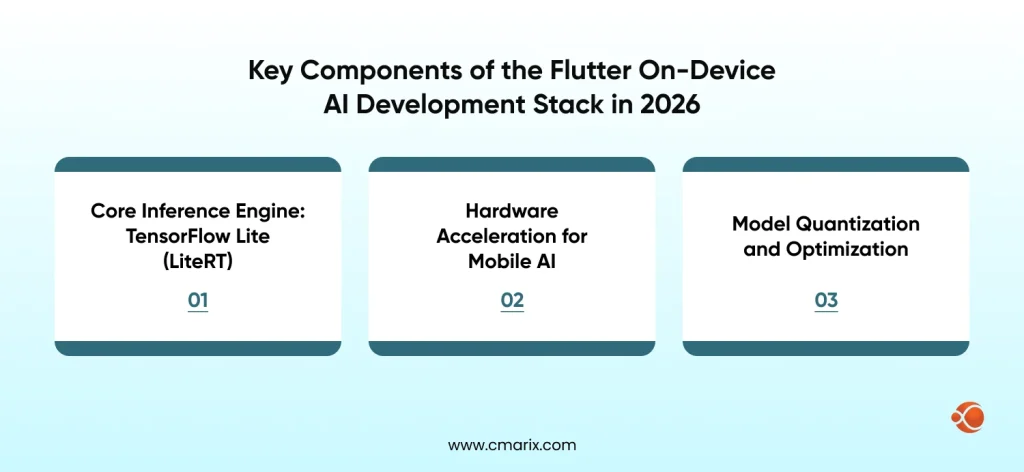
Core Inference Engine: TensorFlow Lite (LiteRT)
The most popular on-device ML framework for Flutter is now known as the LiteRT (formerly TensorFlow Lite Flutter plugin). Developers can load the .tflite model files directly into their app bundle using the tflite_flutter package and run inference offline. Quantized models increase app size by only 1-5 MB and have little impact on accuracy, while INT8 quantized models typically perform 2-4 times faster than their non-quantized model counterparts.
import 'package:tflite_flutter/tflite_flutter.dart';
class InferenceService { late Interpreter _interpreter; Future<void> loadModel() async { _interpreter = await Interpreter.fromAsset('assets/models/model.tflite'); } Future<List<double>> runInference(List<List<double>> input) async { var output = List.filled(10, 0.0).reshape([1, 10]); _interpreter.run(input, output); return output[0]; }
}
Critical note on threading: To avoid jank in your Flutter UI, run inference in an Isolate rather than on the main thread. The Flutter UI thread should never be blocked by model execution, a mistake that kills perceived performance even when accuracy is perfect. The official Flutter compute() function is the cleanest way to offload this work.
Hardware Acceleration for Mobile AI
Modern mobile silicon has dedicated neural processing capabilities that dramatically accelerate AI workloads. In Flutter, you activate these through delegates:
| Delegate | Platform Supported | Best Fit Use Cases |
| GPU Delegate | iOS + Android | Vision models, CNNs |
| Core ML Delegate | iOS (Neural Engine) | Apple Silicon optimization |
| NNAPI Delegate | Android | Modern Android devices |
| XNNPack | CPU fallback | All platforms |
Apple’s Neural Processing Engine on devices running iOS can deliver 17 TOPS of performance, which is hundreds of times faster than running the same model inference on a CPU alone. On Android devices, NNAPIs use NPU/DSP/GPU to perform inference based on the device’s hardware capabilities.
How to enable GPU acceleration for on-device AI inference
// GPU delegate configuration
final gpuDelegate = GpuDelegate( options: GpuDelegateOptions(allowPrecisionLoss: true),
);
final interpreterOptions = InterpreterOptions()..addDelegate(gpuDelegate);
_interpreter = await Interpreter.fromAsset( 'assets/model.tflite', options: interpreterOptions,
);
Model Quantization and Optimization
Regarding model quantization and optimization, raw TensorFlow or PyTorch models tend to be too large and slow for mobile device inference; therefore, the optimization pipeline is just as important as the model itself. Below are the different types of quantization and their use cases:
Quantization types by use case:
| Quantization Technique | Model Size Reduction | Accuracy Impact | Ideal Use Case |
| Float16 | ~2x | Negligible | Baseline optimization |
| Dynamic Range (INT8) | ~4x | Minimal (<2%) | Most production models |
| Full Integer (INT8) | ~4x | Minimal | Edge devices, low memory |
| Weight Pruning | Variable | Depends on sparsity | Large language models |
For most Flutter production apps, dynamic range INT8 quantization hits the right balance between model size, speed, and accuracy. For healthcare or financial use cases where accuracy thresholds are contractual, run benchmarks against your specific hardware matrix before committing to a quantization level.
Struggling to optimize AI models for real-time mobile performance?
Our team specializes in quantization, hardware acceleration, and efficient Flutter integration.
Hire Flutter AI developersPrivacy-by-Design Architecture for Flutter AI Apps
Technical performance is only half the equation. Building privacy-first AI apps requires architectural decisions that protect user data by default, not as an afterthought.
“But with on-device AI, you can take those use cases, bring them onto your smartphone, extended reality device, automobile, or PC, and run them entirely, natively on the device.” – Ziad Asghar, Senior Vice President of Product Management at Snapdragon Technologies (Qualcomm)
Here’s how that principle translates into Flutter app architecture:
1. Local Model Storage with Integrity Verification
You should keep your .tflite model files in your application bundle rather than downloading them from the internet. When your application dynamically downloads or updates models, you should also verify each downloaded model against its cryptographic signature before loading it. Unsigned or modified models provide a direct vector for an adversary to attack. The verification standards specified in the OWASP Mobile Application Security Testing Guide (MASTG) provide a methodology for ensuring that sensitive user data is managed safely on an end user’s device.
Future<bool> verifyModelIntegrity(String modelPath, String expectedHash) async { final bytes = await File(modelPath).readAsBytes(); final hash = sha256.convert(bytes).toString(); return hash == expectedHash;
}
2. Sensitive Data Isolation
Data processed through the AI model (healthcare or fintech only) is not to be written to disk, logged, or passed through any analytics SDKs. Skilled, experienced Flutter developers will persist tokens/configuration into Flutter’s flutter_secure_storage. Inputs/outputs sent through inference should only be in memory.
3. No-Telemetry Inference Pipeline
The inference pipeline follows three steps:
input preprocessing → model execution → output post-processing.
To ensure that no user data is transmitted off-device (e.g., to third parties) during AI-related activity, your inference chain should have zero external calls. To confirm that your inference chain respects this requirement, you should audit all dependencies to identify outbound network calls.
4. Model Obfuscation
Models stored locally on devices are included in your app bundle and easily accessed once deployed. Using obfuscation methods (basic encryption) helps to secure these proprietary models when implementing them into your app. All .tflite files need to be encrypted prior to downloading and decrypted into a temporary buffer in the app during runtime, without ever writing the decrypted model to disk. This practice will help build privacy-first AI apps for use in regulated industries.
Practical Implementation: Five On-Device AI Use Cases in Flutter
| Use Case | Industry | Key Capability | Benefit |
| Real-Time Computer Vision | Healthcare / Retail | Image classification using MobileNet V3 (<30ms inference on-device) | Instant insights with no sensitive data sent to the cloud |
| NLP & Text Classification | Finance / Legal | On-device NLP (DistilBERT INT8, <40MB) for classification & sentiment analysis | Secure handling of financial/legal data without external storage |
| Behavioral Biometrics | Security | Typing, swipe, and touch pattern analysis for continuous authentication | Enhanced security with zero behavioral data exposure |
| Personalized Recommendation | Cross-industry | Lightweight collaborative filtering models (<10MB) | Private, real-time recommendations without user profiling |
| Offline-First Voice Processing | Cross-industry | Wake-word detection + speech-to-text running locally | Fully functional voice interface without internet dependency |
Integrating ML Models into Flutter: The Pub.dev Ecosystem in 2026
The community plugin ecosystem for ML models in Flutter 4.0 projects has reached production maturity. Here’s a curated stack for the most common on-device AI use cases:
| Plugin / Package | Primary Use Case | Inference Type | Maintenance Status |
| tflite_flutter | Custom TensorFlow Lite model execution | On-device | Active |
| google_ml_kit | Vision, NLP, barcode scanning | On-device | Active |
| flutter_ai_toolkit | Chat UI with multi-turn interactions | Cloud + On-device | v1.0 (Dec 2025) |
| speech_to_text | Voice input processing | On-device | Active |
| camera | Vision pipeline input capture | N/A | Active |
| flutter_secure_storage | Secure credential storage | N/A | Active |
Google ML Kit is worth special consideration because it can perform face detection, barcode scanning, text recognition, and pose detection without requiring you to train the model yourself. This is especially important for teams that want to add artificial intelligence features but do not have a dedicated machine learning engineer. The tflite_flutter plug-in will also allow you to use delegates directly across both iOS and Android, beginning in early 2026.
On-Device AI Model Security: A Compliance Checklist
For teams building in regulated industries: healthcare, finance, and legal, the following checklist defines the minimum security posture for shipping on-device AI responsibly. The NIST Mobile Security standards provide the foundational security standards framework for handling sensitive user data locally.
Model Integrity
- Verify all model files using the SHA-256 hash during load.
- Reject any downloaded model that fails signature verification.
- Ensure model files remain encrypted at rest.
- Decrypt models only in memory during runtime
Data Isolation
- No inference input data should be stored in logs or on disk.
- All inference output results should not be transmitted to analytics (telemetry)
- No external calls may be made to external networks at any stage of the inference process.
Access Control
- Backing up any physical media cannot include asset-based models.
- All keys and tokens must reside on the secure enclave.
- Binary obfuscation must be used to mitigate the risk of reverse engineering the application.
Compliance Documentation
- Maintain a data flow diagram confirming that there is no cloud involvement in AI processing.
- Enforce immediate deletion of inference data after use.
- Complete GDPR and HIPAA compliance assessments for each AI feature.
This checklist is for teams working on HIPAA-compliant healthcare software development or wanting to build a fintech mobile app that is compliant-ready and aligns with the technical safeguards under the Security Rule, and on-device AI is one of the cleanest ways to architect software that meets those safeguards.

What Does Flutter On-Device AI Cost to Build?
| Project Timeline | ScopeDescription | Estimated Time | Indicative Cost |
| ML Kit Integration | Pre-trained models (vision, NLP) | 2–4 weeks | $8K–$20K |
| Custom TFLite Model | Single-purpose custom model | 8–16 weeks | $30K–$80K |
| Multi-Model Pipeline | 2+ models with optimization | 16–24 weeks | $75K–$180K |
| Enterprise AI Platform | Full on-device AI stack | 24–40 weeks | $150K–$400K+ |
The figures show estimates to integrate AI into Flutter apps (on-device) are consistent with widely accepted overall costs for AI-enhanced application development. Costs relating to data science work, including but not limited to creating, training, and validating statistical models and converting these to TFLite, will be separate from the costs relating to the integration of Flutter into the application, but often will represent between 30% 50% of the overall cost of developing a custom model. To get a more detailed guide on the estimates, you can read our Flutter app development cost guide.
For teams evaluating build vs. hire decisions, the mobile app maintenance costs for on-device AI apps are generally lower than those of cloud-dependent alternatives, since you eliminate per-inference API costs and reduce dependency on third-party uptime.
Answers to Most-Asked Questions About Using Flutter for On-Device AI Implementation
What is the difference between on-device AI and cloud AI in Flutter?
Using platforms such as TensorFlow Lite, on-device AI executes ML inference entirely on the user’s device, rather than transmitting data to remote servers. With cloud AI, input data is sent via an external API for processing. The advantages of on-device AI include lower latency than cloud AI, offline-first machine learning, and greater privacy guarantees; therefore, on-device AI is the best approach for supporting sensitive applications in finance, health care, and enterprise mobility. Check out our full Flutter AI integration guide.
Can TensorFlow Lite run on both iOS and Android with Flutter?
Yes. The tflite_flutter package supports both platforms with hardware acceleration via GPU and NNAPI delegates on Android and Core ML/GPU delegates on iOS. Model performance will vary by device hardware, so benchmark on your target device matrix.
Is Flutter the right choice for enterprise on-device AI apps?
Flutter for enterprise app development is seeing increased usage because a single codebase can deliver native-performance AI features across iOS, Android, and desktop. For enterprise apps that require HIPAA or GDPR compliance, on-device inference eliminates several categories of data-handling risk entirely.
How do you protect on-device AI models from extraction?
Encrypt model assets, decrypt them to memory at runtime, never write decrypted models to disk, and obfuscate the app binary. For high-value proprietary models, consider splitting the model into components, with server-side components requiring authenticated calls for final-layer computation.
What’s the future of on-device AI in Flutter?
In the coming years, edge intelligence will take precedence in mobile application development. Google has developed its GenUI SDK, which will allow LLMs (Large Language Models) to collect the data needed to populate Flutter user interfaces (currently in alpha and scheduled for commercial release in 2025). MediaPipe GenAI will implement generative technologies for on-device inference. As ever-more powerful mobile NPUs are connected to ever-more efficient model architectures, the limits on what can be done for edge performance continue to expand into entirely new areas. It is a strategic time to hire specialized Flutter AI developers.
What’s Coming: On-Device AI Trends Shaping Flutter in 2026–2027
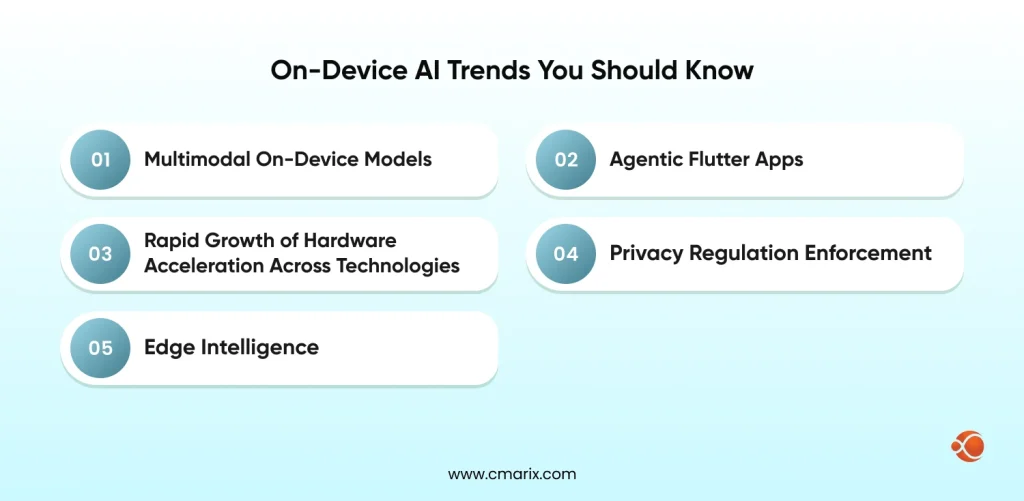
The Android app development trends for 2026 point consistently toward edge intelligence. Here’s what Flutter developers need to track:
- Multimodal On-Device Models: Compact vision-language models (under 500 MB) are approaching mobile feasibility. By late 2026, a Flutter app will realistically be able to run a multimodal model that processes both image and text inputs for structured outputs, entirely on-device.
- Agentic Flutter Apps: At Google I/O 2025, Google established Flutter as the foundation for agentic apps where AI selects the next UI state, and Flutter renders it. The LeanCode 2026 Flutter trends analysis notes that this is shifting the focus from writing better prompts to building better feedback systems.
- The Rapid Growth of Hardware Acceleration Across Technologies: All cited providers of dedicated AI computation (Apple with the Neural Engine; Qualcomm with the Hexagon NPU; Google with the Tensor chip) have each generated compute power from each generation, thus raising the ceiling for on-device inference increasingly faster than stipulated by most any model size requirement for virtually all use cases.
- Privacy Regulation Enforcement: The new EU AI Act will fully take effect on August 2, 2026. The penalties associated with California’s CPRA have doubled. Companies that have already built their own on-device artificial intelligence systems should have little difficulty meeting compliance regulations; those that have relied upon cloud-based inference systems to produce their products will need to go back and make major changes to their systems. For companies developing custom generative AI integration for mobile apps, building privacy protections into the architecture is no longer an option.
- Last but not least on this Flutter trends list for 2026, in the coming years, edge intelligence will take precedence in mobile application development.
Final Thoughts
As of 2026, Flutter tooling has matured to the point where it’s completely viable, and mobile processors have also matured. As government regulations on consumer privacy increase, on-device AI development is becoming the most strategically important thing for the future of mobile app development.
TensorFlow Lite makes it easy to work with and use your model for both running your model in-device as well as running it on dedicated hardware to improve its performance; Additionally, if you quantize your model to shrink its file overall size (through quantization), the overall performance of the model gets significantly better when it is run ultimately during the inference phase. Using a “Privacy-first Architecture” offers increased privacy for users while also protecting their personal information from exposure to the corporation through its business practices.
What separates good implementations from exceptional ones is the rigor of the optimization pipeline and the depth of the security model. CMARIX has been shipping Flutter applications with production-grade on-device AI integrations across regulated industries. If your team is evaluating where to invest next, hire AI engineers for mobile apps who understand both the ML pipeline and the Flutter architecture that wraps it.
Privacy isn’t a feature you add at the end. It’s the architecture you choose at the beginning.
FAQs related to Using On-Device AI with Flutter
What is the main difference between private and public AI models?
The main difference between private and public AI models is that private models operate within an organization’s control and therefore provide complete ownership over data and training. Public models, on the other hand, operate on a third-party platform and use an API for accessibility.
Are public AI models safe for sensitive enterprise data?
Public AI models are considered secure when used properly. However, they still process external data, which may be a concern.
Which is more cost-effective: public AI APIs or a private AI model?
Public AI APIs have a lower initial cost and quicker deployment. Hence, they are suitable for experimentation and/or small-scale deployment. Private AI models have a higher initial cost but become cost-effective at scale and with predictable usage, with no additional charge per call.
How do private AI models help with regulatory compliance?
Private AI models allow full control over where data is stored and processed, which is critical for complying with regulations such as GDPR and region-specific data laws. This setup enables better auditability, governance, and policy enforcement.
Can private AI models perform as well as giant public models?
While the giant public models are best for overall performance, private models may perform at least as well, if not better, for a particular task after being fine-tuned on specific datasets. The model’s performance is not directly proportional to its size; rather, it is proportional to its quality.
What is a “Hybrid AI” approach, and should my enterprise use it?
Hybrid AI is a strategy that utilizes private models for certain sensitive workloads and public models for certain tasks. This is a practical strategy for most enterprises, given the trade-offs that need to be considered.