Quick Summary: Cloud application development helps businesses build scalable, secure, and always-connected software without relying on physical infrastructure. This guide covers cloud deployment models, service types, development steps, costs, benefits, and real-world industry use cases, helping teams plan, build, and scale modern cloud applications efficiently in 2026.
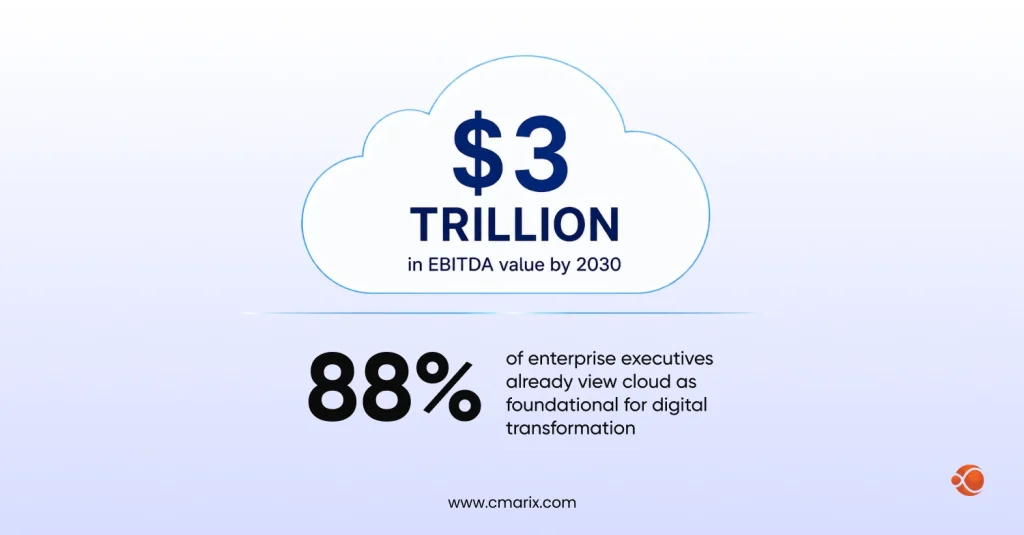
Numbers never lie; they say it all. According to a study by McKinsey Project Cloud, the cloud can deliver a total of $3 trillion in EBITDA value by 2030, while an impressive 88% of enterprise executives already view cloud as foundational for digital transformation.
This isn’t a trend. It’s the baseline.
Almost everyone uses cloud apps, indirectly or directly. If your company runs on SaaS tools, you’re already in the cloud; you just might not be building on it yet. This blog is for teams who want to change that. We’ll cover what cloud application development actually is, what it costs, and how it works, which industries are winning with it, and how to get started without making expensive mistakes.
What is Cloud Application Development?
A cloud-based application is an internet-connected application where some or all of its processing happens on remote servers — not on the user’s device. The user interacts through a browser or mobile app; data moves through an API to a distant server; and the device itself is just the input layer.
This is different from a traditional web app. What makes cloud application development distinct is how the infrastructure behaves: it scales on demand, updates without user action, and stores data remotely with built-in redundancy. It’s also worth noting that cloud architecture has become a core part of enterprise web application development; large-scale products today are almost always built cloud-first by design.
That’s how it works in reality: When you shut down your laptop and open it on another computer, the cloud application will continue from the exact point it stopped.
Types of Cloud-based Solutions
Cloud computing covers a range of third-party services: storage, databases, compute power, and networking, that you access on a pay-as-you-go basis. No hardware to manage, no infrastructure to maintain in-house.
Cloud Deployment Models
- Public Cloud: Providers such as AWS, Azure, or Google Cloud handle infrastructure. Best trade-off between flexibility and affordability for the majority of companies.
- Hybrid Cloud: A combination of private and public clouds. Critical data may be in a private cloud, and other processes handled using public cloud services. This model is used by most companies as they evolve.
- Community Cloud: Shared by different organizations having common requirements – governmental bodies, healthcare organizations requiring shared infrastructure, yet maintaining their own separate data.
Cloud Service Models
- IaaS (Infrastructure as a Service): The service provider is responsible for managing the storage, server, network, and virtualization processes. Everything else is the responsibility of the client.
- PaaS (Platform as a Service): The application developer takes care of the coding part. The provider takes care of the rest – the operating system and the underlying infrastructure.
- SaaS (Software as a Service): Fully managed apps delivered via browser or API. Users just log in and use the product, no installation, no configuration. Dropbox, Salesforce, and Figma are all SaaS. If you’re building in this space, purpose-built SaaS app development services make a meaningful difference in how fast you can go from concept to a shippable product.
Most cloud-based app development projects sit in the PaaS or SaaS layer, using IaaS resources underneath.
Let’s turn it into a product. Our cloud developers scope, build, and ship; without the guesswork.
Key Features of Modern Cloud Applications
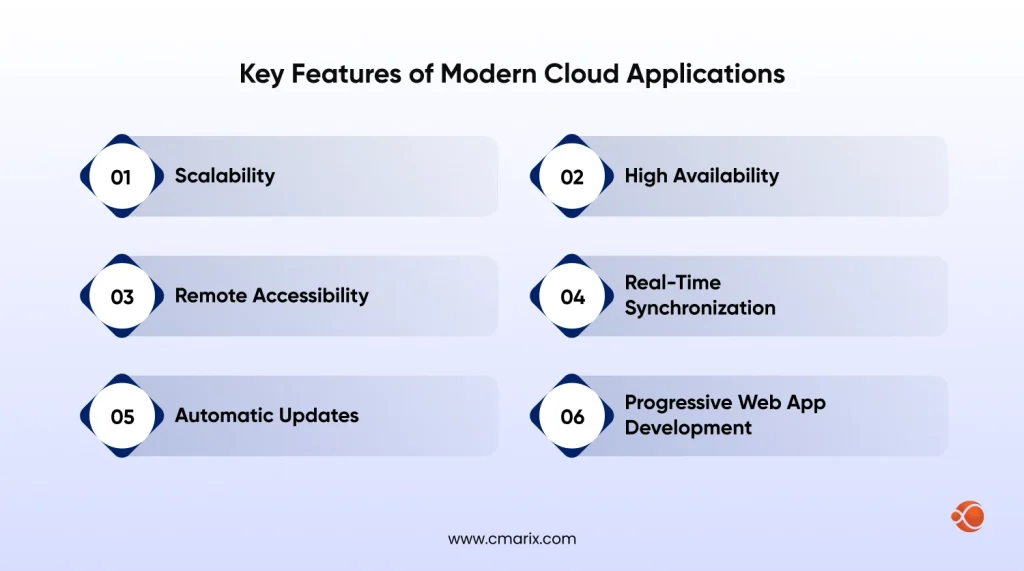
What separates a cloud application from a regular web app isn’t just where it runs; it’s how it’s built. Here are the features that define production-grade cloud applications.
Scalability
There is horizontal scaling of cloud infrastructure; therefore, in case of more traffic, more computing resources are added to the infrastructure. Should the traffic reduce, scaling will go backward without any waste of resources. There are costs associated with the use of each individual resource, which is why this is the most significant strength of cloud software compared to hosted software.
High Availability
Today’s cloud applications are created with failure-resilience in mind. They involve distributing tasks between several availability zones, operating automatic failover systems, and load balancing. As a consequence, 99.99% uptime can be ensured without having an operations department watch the equipment all day long.
Remote Accessibility
Anywhere, anytime, and anything. Cloud applications work via browser-based interface or native applications; there is no concern for updates or maintenance of any installed version of the software. This makes cloud computing essential for geographically dispersed organizations.
Real-Time Synchronization
Live collaboration among multiple users, which we experience when using Google Docs, Figma, or Miro, is possible because data resides in the cloud. Whatever one user does is instantly reflected for the rest of the users. Integrating such an approach in a regular desktop application would be extremely difficult. In the cloud environment, it is natural.
Automatic Updates
Cloud applications based on SaaS operate through the server-side updating process. Customers benefit from new functionalities and security updates without installing additional files. From the business standpoint, it solves the versioning issue as all clients have the same software version.
Progressive Web App Development
It is a web application designed for use in a manner akin to how you would use a native app. The PWA runs on browsers and exists in the cloud, making it a great option for businesses looking to target users via mobile technology. However, in order to do so, there’s no need to create separate code bases for iOS and Android.
Examples of Cloud Applications
- Figma: A browser-based design app that lets entire teams design together on the same document at once. There’s nothing to install, no version control problems, no need for file synchronization. Micro: A digital whiteboard made for remote teams. Everything is hosted in the cloud; you send a link, and you’re in.
- Dropbox/Google Drive: File hosting that stores your files outside your device. Work from anywhere, share with everyone, and restore your erased documents using history.
- Salesforce: A comprehensive CRM system that operates completely in the cloud; you don’t even need to host a server or manage a local database.
- Slack/Notion/HubSpot: Communication, documentation, and marketing platforms that follow a similar model; cloud-based, web-based, and always synced.
The common thread across all of these is that the product is the service, not the software installed on a machine.
Simple Steps to Cloud-Based Software Development
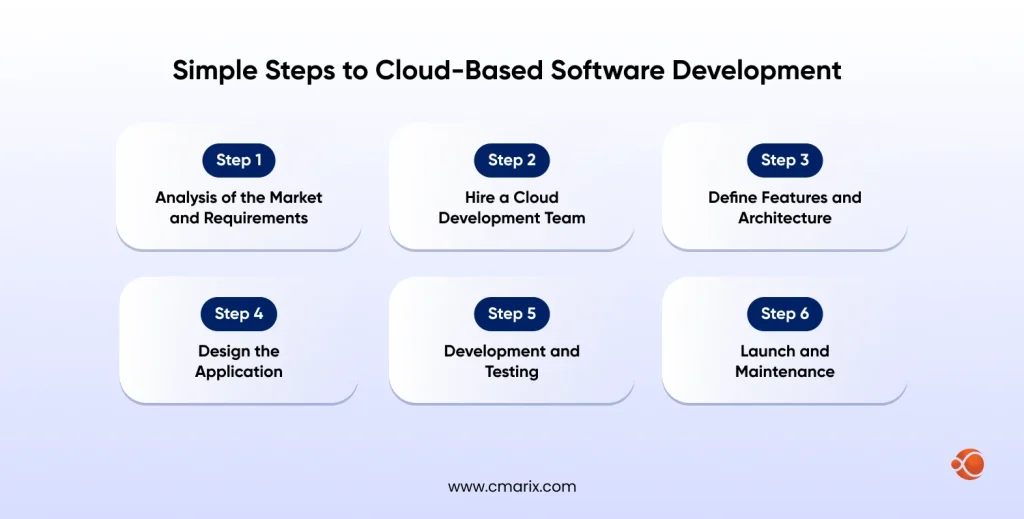
Developing cloud applications well requires a clear process. Here’s what that looks like in practice.
Step 1. Analysis of the Market and Requirements
Before coding anything, one must first know what problem is being solved and for whom it is being solved. Do market research on how the current software irritates users. Find out the needs of your users and how you can solve their problems.
Competitive analysis is important too. Compare features, look for gaps in positioning within your target market, and analyze the different pricing strategies you have. This should be mapped against a product requirements document detailing exactly what the MVP should and shouldn’t include. Think about the suitability of deploying your product in the cloud. Not all apps are suitable for cloud environments.
Step 2. Hire a Cloud Development Team
The ideal team matters more than the right tools. When you hire dedicated developers with cloud experience, you get architecture guidance, you get more than coders, cost modeling and risk assessment built into the process.
A good cloud app development company will deliver a project planning report, an MVP feature roadmap, and a realistic cost estimate before development starts. That scoping phase is where most projects either get set up for success or quietly set up to fail.
Step 3. Define Features and Architecture
The decisions made in this step directly affect performance, scalability, and cost down the road. The big architectural choices involve your service model (PaaS, IaaS, SaaS), your cloud provider, and whether to build on microservices or a monolith.
Most experienced cloud developers recommend a microservices architecture for anything beyond a basic MVP. It’s more complex upfront, but it makes scaling individual components far easier later and avoids the nightmare of rewriting a monolith when your user base grows.
Cloud migration strategy also falls into this phase if you’re moving an existing product or data to the cloud.
Step 4. Design the Application
UI/UX design follows architecture decisions. The interface needs to make the application’s power accessible, not just functional but genuinely easy to use. Cloud apps often support collaboration features that require careful UX thinking: permissions, real-time cursors, conflict resolution, and notifications.
Keep stakeholders involved at the design stage. Review cycles here are cheap. Review cycles after development are not.
Step 5. Development and Testing
Cloud applications are usually developed using an Agile development approach, where two weeks are set aside for sprints. The development processes run simultaneously, including API and frontend development as well as server configurations, but all components are tested independently first before they are integrated.
There are several testing phases involved in testing the cloud application software, including unit testing, integration testing, performance testing, and security testing. It is also feasible to duplicate the actual production environment in order to test the application software before deploying it in the production environment
Step 6. Launch and Maintenance
Launching depends on your delivery format. A web app or SaaS product can be deployed to your cloud provider directly. Mobile apps go through the Google Play (Android) or App Store (iOS) review process.
Post-launch, cloud apps require ongoing maintenance: monitoring, performance tuning, security patching, and feature iteration. Budget for this from the start. The launch isn’t the finish line.
Talk to our experts and walk away with a clear roadmap, zero obligation.
Why Invest in Cloud-Based Application Development – 6 Benefits
There’s a reason companies across every sector keep moving workloads to the cloud. The benefits of cloud computing technology go well beyond cost savings; they change how teams develop, ship, and scale. Here are the six benefits that matter most.
1. Saving Money
The pay-per-use approach eliminates huge initial investments into infrastructure. You pay only for the amount you use, and you can adjust the expenses depending on demand. In particular, startups can benefit from this approach by not investing in server capacity ahead of time, but starting small and scaling according to income.
2. Security
The cloud vendor will spend on security that is impossible for any business to afford individually. The cloud vendors are compliant to SOC 2, ISO 27001, HIPAA, GDPR, and other standards, and not something that comes after everything else. Encryption, auditing logs, and automated backup are all offered by default in the cloud services.
3. Adaptability
The nature of business is quite volatile. The cloud computing infrastructure allows for rapid scaling up of bandwidth, processing power, and storage within just a few minutes’ time, whereas setting up physical infrastructure takes several weeks or even months. This feature gives a competitive edge to such companies.
4. Competitive Advantage
Cloud technology gives small companies access to technology that was previously available only if there was an enormous engineering effort involved, such as AI and machine learning APIs, live streaming technologies, and CDNs. For example, what a 50-person team would take a decade to build can now be built by a 5-person company with cloud technology.
Cloud-based AI analytics platforms, for example, are helping businesses improve customer retention and personalize experiences at scale, without building data science infrastructure from scratch.
5. Flexibility and Real-Time Intelligence
Access to data is centralized for the entire organization, irrespective of location or device. Management makes decisions based on live dashboard data rather than weekly reports. The field teams enter data that is updated instantaneously to back-end systems. Decisions about product development are informed by customer information.
The productivity and teamwork within companies that adopt the cloud-sharing model remain superior to those with traditional approaches.
6. Wide Variety of Options
From ERP to CRM, from customer portals to backend systems, cloud-based applications touch almost every business process imaginable. There is no restriction on using just one technology stack or vendor’s approach. From SaaS application integration to enterprise-level cloud platforms, the cloud provides something for everyone.
Which are the Industries Using Cloud Applications
Cloud application deployment has moved well past early adoption. Here’s how specific industries are using it today.
Healthcare
Healthcare is now one of its fastest-growing segments, where it was of the last industries to commit to cloud. Cloud applications handle everything from patient records (EHR systems) to appointment scheduling to telemedicine delivery. The critical driver isn’t just convenience: it’s data analytics.
Platforms like PBR Insight – Advanced Healthcare Data Analytics Platform represent where this is heading. The PBR Insight tool enables hospitals to integrate clinical and business data into a singular analytics layer that will enable them to achieve improved patient outcomes through predictive modeling. This kind of analytics layer, for the millions of patient interactions in hospitals across the world, is no longer an advantage, but rather a clinical requirement.
HIPAA compliance that is historically made healthcare organizations cautions about cloud, is now a solved problem with providers like Azure, AWS and GCP all offering HIPAA-eligible service environments.
Fintech
The fintech firms are pioneers when it comes to using cloud technology. Everything from fraud prevention to payment processing, lending platforms, and online banking happens within the framework of cloud-based infrastructure. Real-time processing of transactions that need minimal latency and maximum dependability can now easily be accomplished with cloud-based services offering multi-region failover capability.
There is now minimal regulatory compliance pressure on the part of fintech firms, thanks to major cloud vendors managing compliance issues (PCI-DSS, SOX, Basel III) at the infrastructure layer.
E-commerce
E-commerce is where application integration on AWS becomes particularly powerful. Retail and E-commerce businesses usually run a stack of disconnected systems: payment gateways, inventory management, shipping APIs, marketing automation, CRM platforms, and AWS integration services (including EventBridge, API Gateway, and Step Functions). Tie these into a single coordinated workflow.
In short, once the customer orders, the inventory management system will get updated, the email marketing software will initiate a series of follow-up actions, and the shipping company will be informed. It is hard to overstate how important cloud integration becomes for high-scale e-commerce platforms, as it can mean the difference between scalability and failure.
Progressive web app development becomes extremely important in such a scenario – instead of developing a native app for their customers, many e-commerce websites choose to develop a Progressive Web App.
Education
The educational technology platforms, which include learning management systems, virtual class platforms, assessment systems, etc., are now completely built on cloud-native infrastructure. It has been expedited by many years owing to the era of the pandemic we have just witnessed. Scaling up is possible in the cloud environment on demand to accommodate many users at once (an essential feature for exams).
Adaptive learning solutions use cloud computing-enabled AI to customize the learning pathway for each student based on their performance data.
SaaS Businesses
SaaS is cloud-native by definition. The entire business model depends on a multi-tenant cloud infrastructure in which a single application instance serves thousands of customers simultaneously. SaaS businesses use cloud platforms not just for hosting but for the full operational stack: billing, usage metering, support tooling, analytics, and uptime monitoring.
The maturity of cloud platforms has also made it dramatically easier to launch new SaaS products. PaaS environments like AWS Elastic Beanstalk, Google App Engine, or Azure App Service handle infrastructure management so product teams can stay focused on building features rather than maintaining servers.
How Much Does It Cost to Build a Cloud Application?
Cost is where most conversations get vague fast. Let’s be specific.
Basic App: $7,000 – $25,000
The typical simple cloud app, single-purpose SaaS application, basic customer portal, or dashboard would take around 300-500 hours to develop. In dollar amounts, that would be $7000-$25,000. That estimate presumes the specifications are well-defined, not too many features, and the developers know the technology inside out.
Mid-Level Cloud App: $25,000 – $80,000
This will be around an 800+ hour development process, considering it is a mid-level complexity product including custom integration, multi-user support, real-time operations, and admin panels. You should expect to budget anywhere from $25,000 to $80,000 for development, based on where your team is located and the technologies used.
Enterprise-Grade Cloud Platforms: $80,000+
A large-scale enterprise platform, which will have regulatory constraints, complicated workflow, and other infrastructural needs, will cost anywhere between $80,000 to hundreds of thousands of dollars. This will be due to the need for increased time and workforce, as well as ongoing expenses incurred for the infrastructure.
Factors Affecting Cloud Application Development Cost
| Cost Factor | Impact on Cloud Application Development Cost |
| Features | The biggest cost variable. Every feature increases design, development, and testing effort. Poorly controlled scope expansion can quickly increase the total budget, which is why defining a clear MVP is important. |
| Cloud Infrastructure | Platforms like Amazon Web Services, Microsoft Azure, and Google Cloud use different pricing models for compute, storage, bandwidth, and managed services. Architecture choices such as serverless or reserved instances also affect long-term costs. |
| APIs & Third-Party Integrations | Integrations with payment gateways, communication tools, analytics platforms, CRMs, and mapping services increase both development time and recurring licensing expenses. |
| Security Requirements | Advanced security standards such as HIPAA, SOC 2, and PCI-DSS require additional engineering work for encryption, audit logging, penetration testing, identity management, and compliance monitoring. |
| Team Location | Development rates vary significantly by region. Offshore teams in South Asia, Southeast Asia, or Eastern Europe generally charge lower hourly rates than teams in North America or Western Europe. |
| Maintenance & Support | Ongoing maintenance usually costs around 15–20% of the original development budget annually. This includes updates, bug fixes, monitoring, cloud hosting, security patches, and small feature improvements. |
Cloud Cost Optimization
One thing teams often overlook until they get their first big AWS or Azure bill: cloud cost optimization is an ongoing discipline, not a one-time setup task. Common approaches include right-sizing compute instances (don’t run a $500/month server for a workload that needs $50/month), using reserved or spot instances for predictable workloads, setting up auto-scaling to avoid over-provisioning, and regular audits to shut down resources no longer in use.
Tools like AWS Cost Explorer, Azure Cost Management, and third-party platforms like Spot.io or Infracost help teams understand and control their cloud spend as the product grows. A well-optimized cloud architecture can reduce infrastructure costs by 30–60% compared to an unmanaged setup, which matters a lot when you’re scaling.
Conclusion
Developing applications on the cloud platform has ceased being a purely technological decision; it is now a business decision. The technologies for developing applications in the cloud environment are well-developed, and the gap between the two competing groups becomes wider each year.
The path from idea to production cloud app is well-defined: understand your market, get the right team, make intentional architecture decisions early, and build with scalability in mind from the start. Cost is predictable if you plan for it, and Cloud Cost Optimization practices can keep that cost under control as you grow.
If you’re building a healthcare analytics system, an e-commerce middleware, or even a SaaS application from the ground up, then the cloud provides you with the ability to grow according to your aspirations. The debate shouldn’t be on whether to build in the cloud, but rather how to go about doing it.
Frequently Asked Questions on Cloud Application Development
What is the difference between cloud-native and traditional application development?
Traditional applications are designed to run on static hardware. This process requires manual scaling. Cloud native applications are designed keeping in mind cloud infrastructure, and therefore, they automatically scale themselves. They can be updated constantly and operate as individual microservices. This leads to reduced downtime and improved maintenance efficiency
What are the core benefits of building applications in the cloud?
Pay only for what you consume, scale without acquiring infrastructure, collaborate from any location, and receive enterprise-level security without a separate effort. Cloud computing platforms can also provide you with technologies like artificial intelligence, machine learning, and live data analytics, which would take a significant engineering team to develop otherwise.
Which cloud service model should I choose?
Use IaaS if you require full control over infrastructure. If you don’t want to bother yourself with server management and you just want to concentrate on creating your application, then use PaaS. And if you can purchase what you need from the store, then use SaaS. But normally, companies use all three.
How do I ensure my cloud application is secure?
Implement encryption for your data when it is in transit and or at rest, apply strict access management policies, allow auditing capabilities, and perform vulnerability assessments regularly. In case you are working in a compliance-bound industry, opt for compliance-enabled clouds such as AWS GovCloud or Azure Government.
Will I get locked into a specific cloud vendor?
This is dangerous, but it can be managed. Deploy using container technologies such as Docker and Kubernetes. Adopt open standards whenever possible and design your applications to make sure portability. Platform lock-in does have its benefits in terms of productivity, so long as it is done consciously.
What is the typical development lifecycle for cloud apps?
Requirements -> architecture -> design -> development sprints -> QA -> deployment -> maintenance. Simple cloud applications are built in about 3 to 4 months. Medium complexity applications take around 6 to 9 months. Complex applications for large enterprises require compliance, which may take up to 12 to 18 months. In most cases, infrastructure is not a problem; it is defining the scope that causes issues.